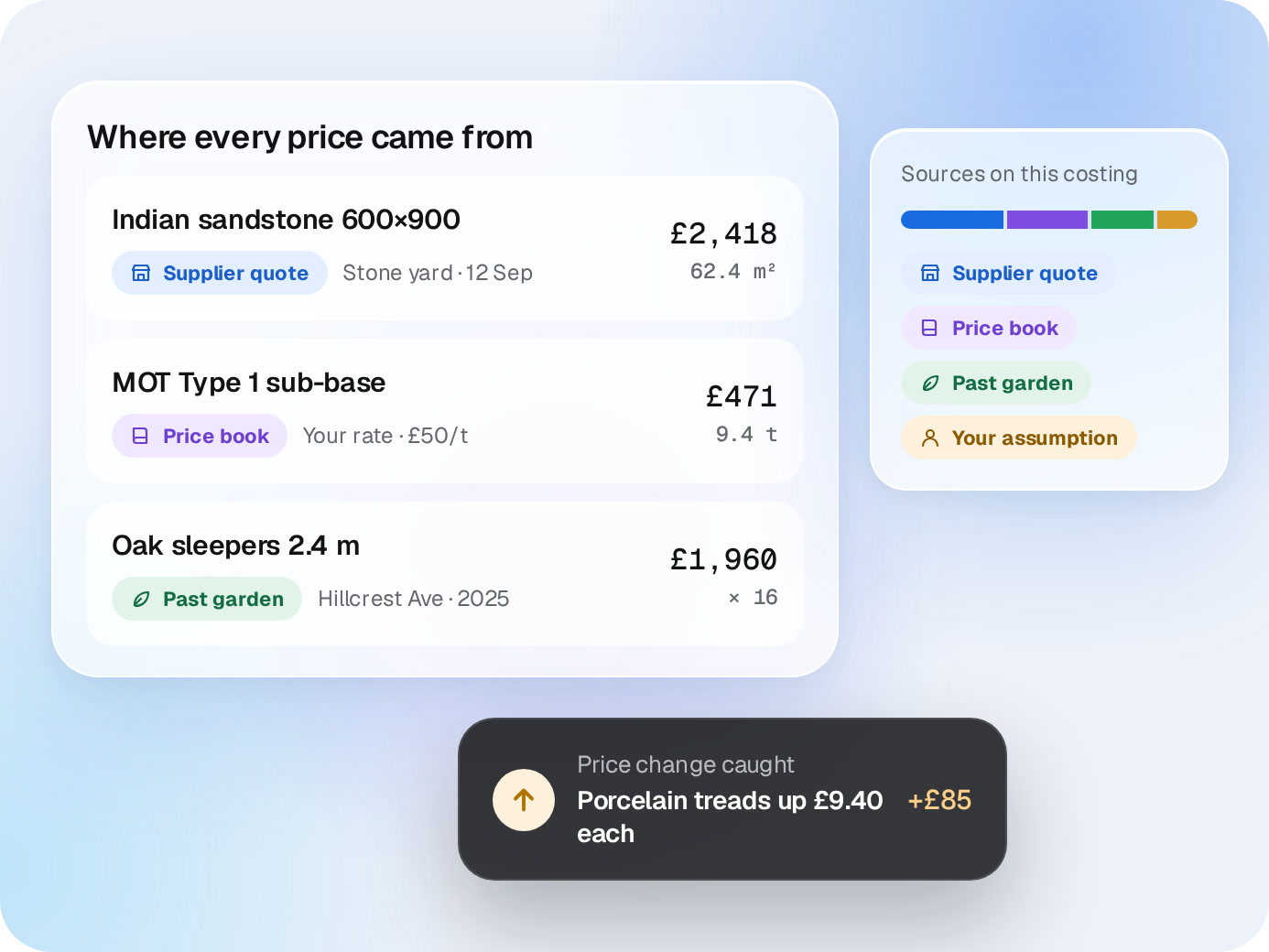
Upload the drawing and spec. LandscapeBase measures it, prices it from your suppliers and past gardens, and shops around for better prices. You get a costing to check, not a spreadsheet to fill in.
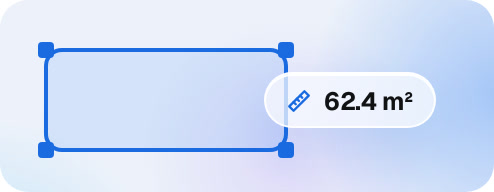
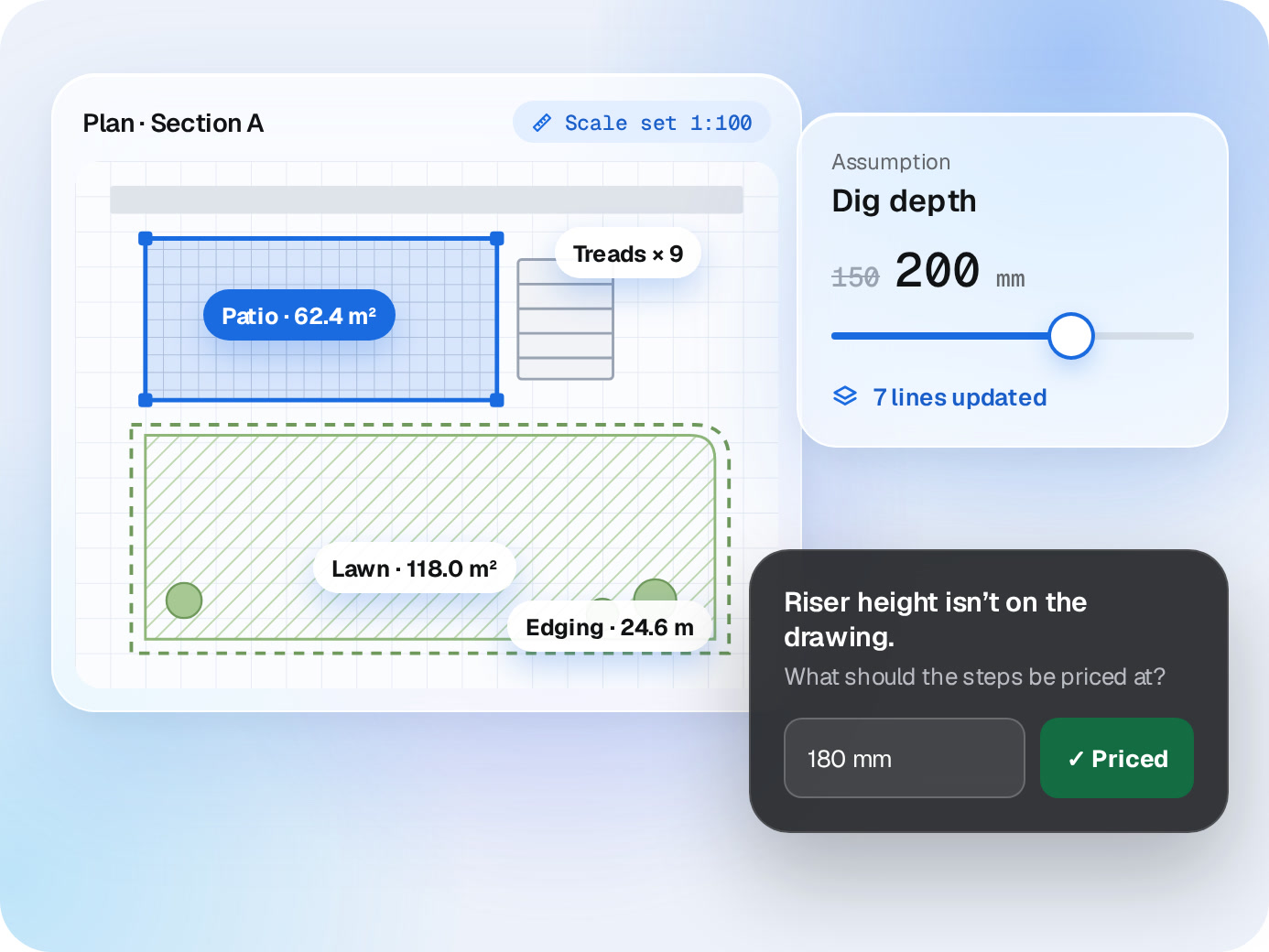
Set the scale and LandscapeBase measures every area, length and count on the plan, section by section. What the drawing can’t show, like dig depth or sub-base, becomes an assumption you confirm.
✓
Assumptions you can change. Dig depth, sub-base, bedding, waste. Change one and every line that uses it updates.
✓
It asks before it guesses. If something’s missing, like a riser height, it asks you before pricing it.
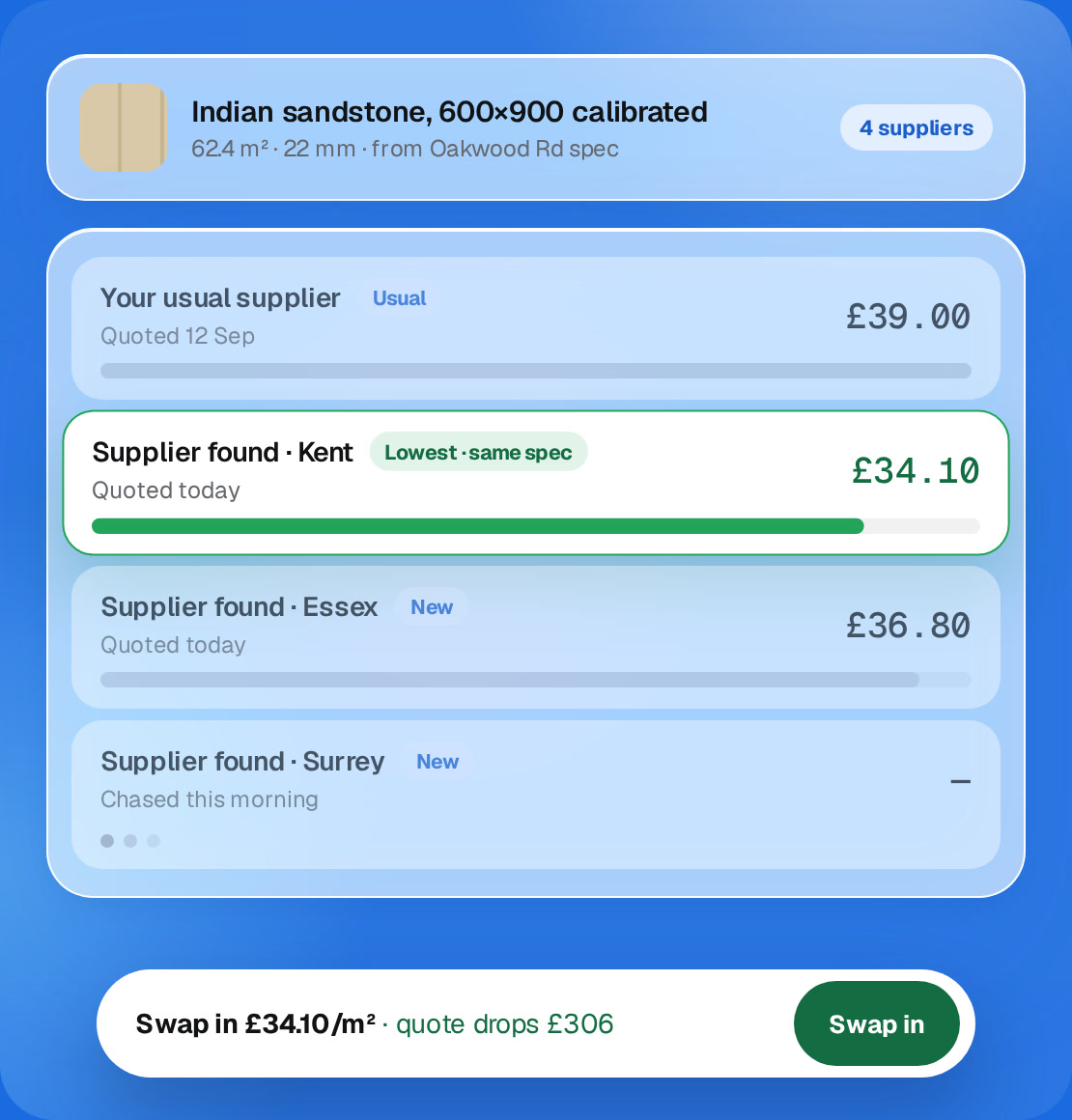
LandscapeBase looks beyond your usual suppliers for the same spec, asks them for a quote and puts every price side by side. It can ask more suppliers in a morning than you’d ring in a month.
✓
Finds suppliers you don’t use yet. It searches for the exact item and spec, not just the category. The more detail on the drawing, the better the match.
✓
Asks for quotes, chases the quiet ones. Requests go out with the spec attached once you approve them. If a supplier doesn’t reply, it follows up.
✓
Same spec, lower price. The cheaper option shows on the line. Swap it in and the quote updates.
✓
Every quote kept. Prices land on the job and in your price book, so the next costing starts from real numbers.
Indian sandstone, 600×900 calibrated
62.4 m² · 22 mm · from Oakwood Rd spec
0 suppliers
Your usual supplierUsual
Quoted 12 Sep
£39.00
Supplier found · KentNew
Quoted today
£34.10
Supplier found · EssexNew
Quoted today
£36.80
Supplier found · SurreyNew
Chased this morning
—
Swap in £34.10/m²· quote drops £0Swap in
“We chased dozens of suppliers. LandscapeBase compares prices, requests missing quotes and keeps every order with the right garden.”
Tom E.Essex Garden Projects
Labour & margin
Labour is the risk. See it before you send.
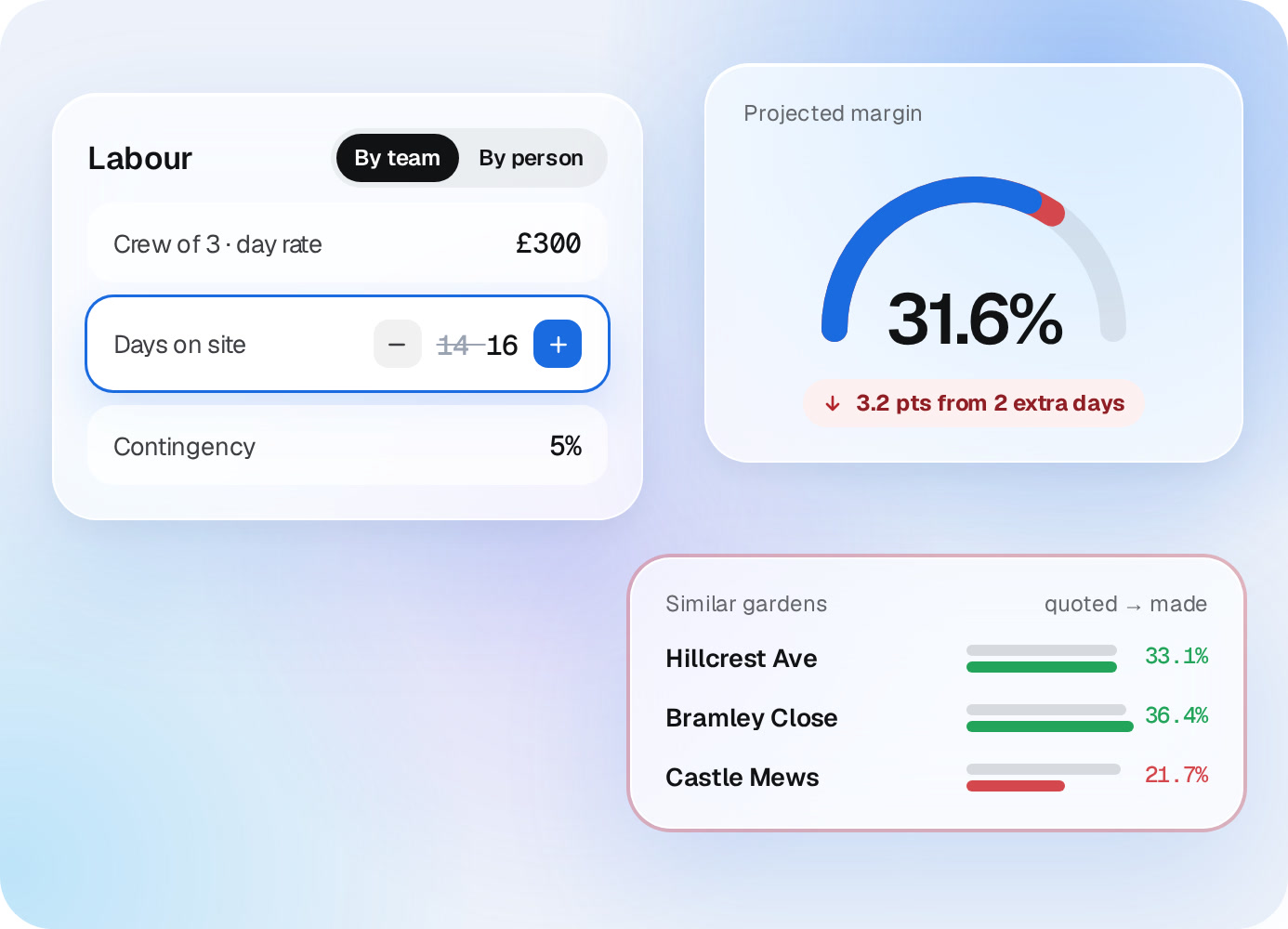
Crew rate, days on site and contingency sit next to the projected margin. Change one and the margin moves. Then check it against gardens you’ve already built.
✓
Price labour your way. By team or by person, at your day rates.
✓
Past gardens as a check. What similar builds were quoted at, and what they actually made.
LabourBy teamBy person
Crew of 3 · day rate£300
Days on site14 14
Contingency5%
Projected margin
0.0%
3.2 pts from 2 extra days
Similar gardensquoted → made
Hillcrest Ave
33.1%
Bramley Close
36.4%
Castle Mews
21.7%
Quote
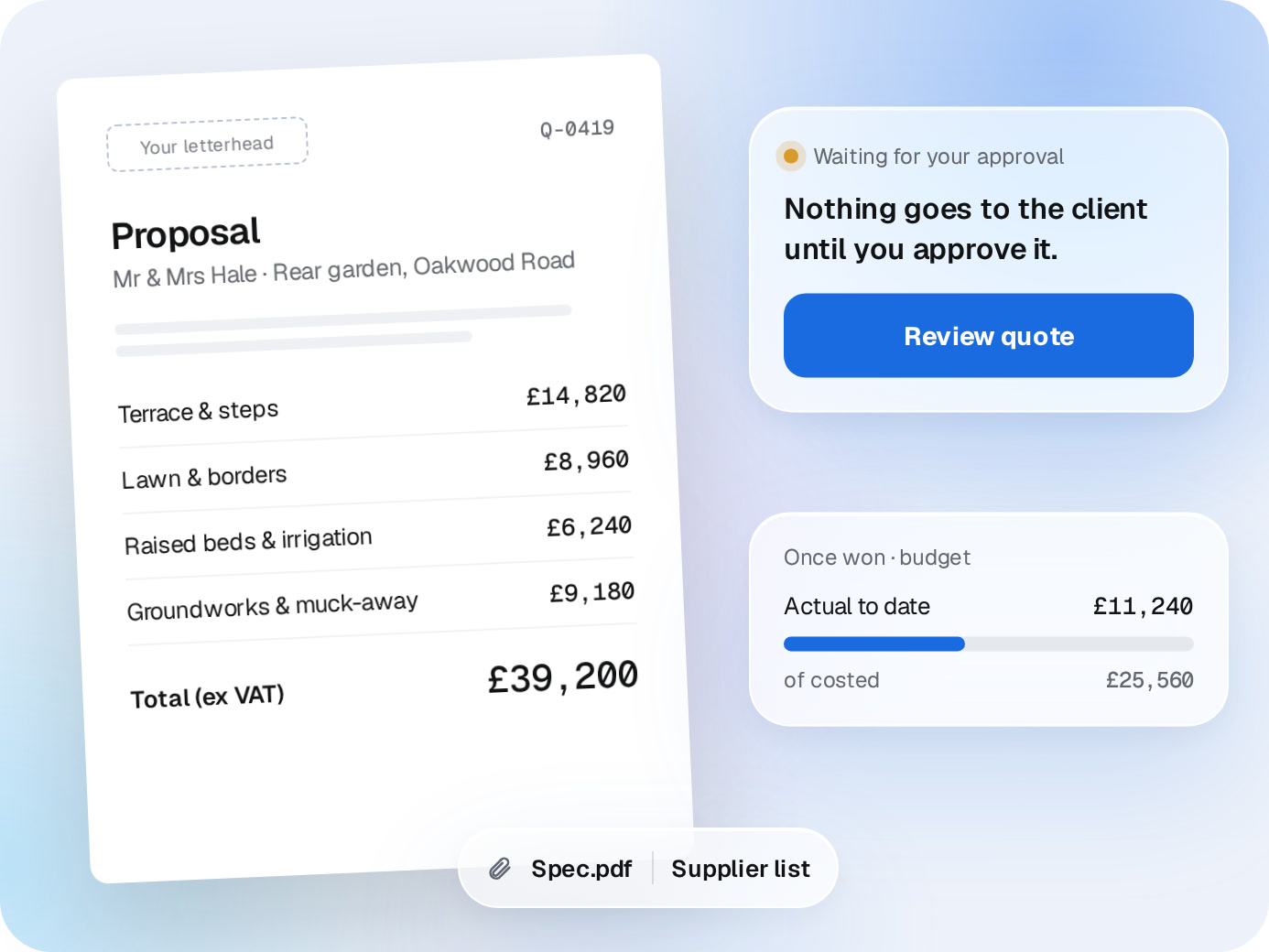
A quote in your letterhead. Built from the costing.
Turn the costing into a proposal in your own template and wording, grouped the way you present work. Nothing goes to the client until you approve it.
✓
Spec and supplier list attached. The detail behind every number, if the client asks.
✓
The costing becomes the budget. Once the job’s won, you track actual costs against it.
Your letterheadQ-0419
Proposal
Mr & Mrs Hale · Rear garden, Oakwood Road
Terrace & steps£0
Lawn & borders£0
Raised beds & irrigation£0
Groundworks & muck-away£0
Total (ex VAT)£0
Waiting for your approval
Nothing goes to the client until you approve it.
Review quote
Once won · budget
Actual to date£0
of costed£25,560
Spec.pdfSupplier list
★★★★★
“I didn’t want AI guessing rates. LandscapeBase shows supplier prices, finds cheaper options, checks past gardens and lets me change assumptions.”
Matt K.Highlands Landscape
★★★★★
“Fifteen years of pricing knowledge lived only in my head. LandscapeBase made it usable by the team without changing how we cost real projects.”
Ryan M.Cheshire Garden StudioCosting one project4 hrs → 20 minsDanny R.RW Build
Straight answers
Questions about Auto Costing.
Do we need to build a price book first?
No. On launch day we import your rates, suppliers and past jobs from wherever they are now: spreadsheets, your old system or PDFs.
Which drawings does it read?
PDF plans and specs. If you draw in Vectorworks, SketchUp or CAD, export a PDF and upload that.
How accurate is it?
It measures what’s on the drawing, prices from your own rates and shows the source of every line. Anything it can’t see comes back as an assumption or a question. You check it before it goes anywhere.
What about work that isn’t on the drawing?
Dig-out, sub-base, levels, cutting waste. Set your standards once, then confirm or change them per job.
Can it find suppliers we don’t use?
Yes. For each line it looks for other suppliers with the same spec, asks them for a quote once you approve, and shows the prices side by side. You choose who to buy from.
Can we change the numbers?
Every line, rate and assumption. The margin updates as you go.
A demo around your business
Send us a drawing. We’ll cost it on the call.
20 minutes, one real garden, your suppliers. No generic tour.

 Auto Costing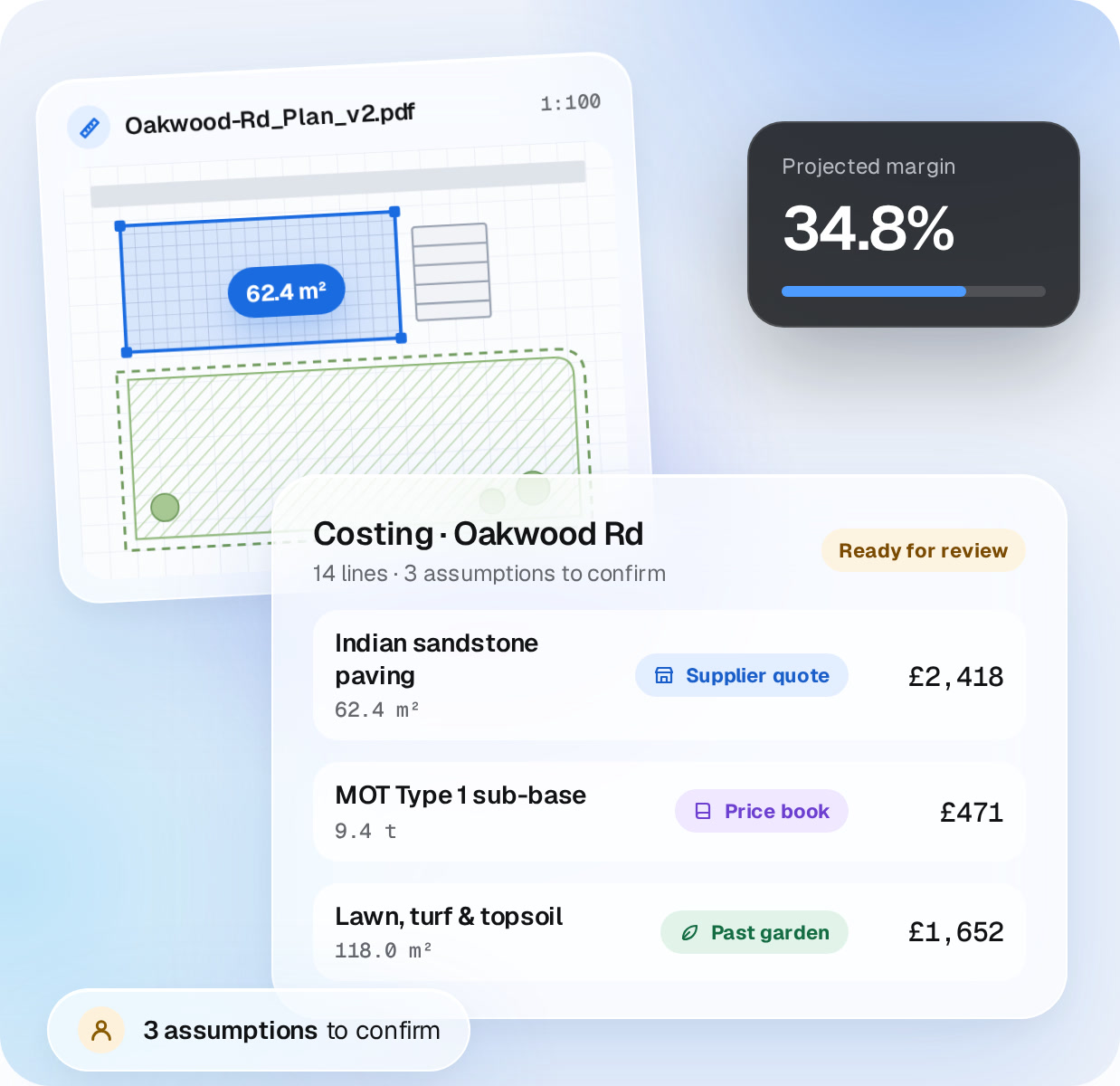



 Matt K.Highlands Landscape
 Danny R.RW Build