Type what you need in plain English. LandscapeBase moves the jobs, keeps each crew’s stops in route order, checks the forecast for every site and sends every crew their day on WhatsApp once you confirm.
Build crewsMaintenance roundsFor build crews and maintenance rounds.
Today
DayWeekRoutesSmart Scheduling
Crew BAKBM
LK70 NRV6h / 9h
New route on WhatsApp
Crew CMZ
EJ22 BGF9h / 9.5h
Crew DSOPNLT
FD19 TMH5.5h / 8.5h
Crew EJWRH
PK23 LMR6.67h / 9h
New route on WhatsApp
2 visits moved. Nothing is sent until you choose.All sent. Crews and customers updated.Notify Crew B and ECrews notifiedNotify customersCustomers notified
Smart Scheduling
What do you want?
Describe a change and your schedule updates.
Rebalancing your schedule…Moving Crew D’s remaining visits to Crew B and E
01
Plan by typing.
Say what changed. It moves the jobs.
WedThuFri2 flagged
02
Checks the weather.
Forecast for every site. Wet-day jobs flagged.
6 stops
03
Routes in order.
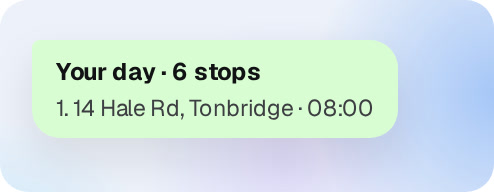
Each crew’s stops in the best order.
Your day · 6 stops
04
Sent on WhatsApp.
Crews get their day. No app to learn.
Re-planning
Say what changed. See every move before it happens.
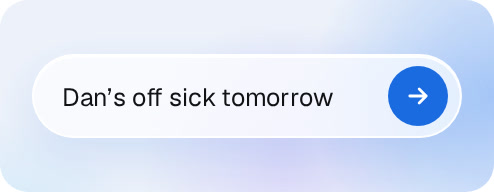
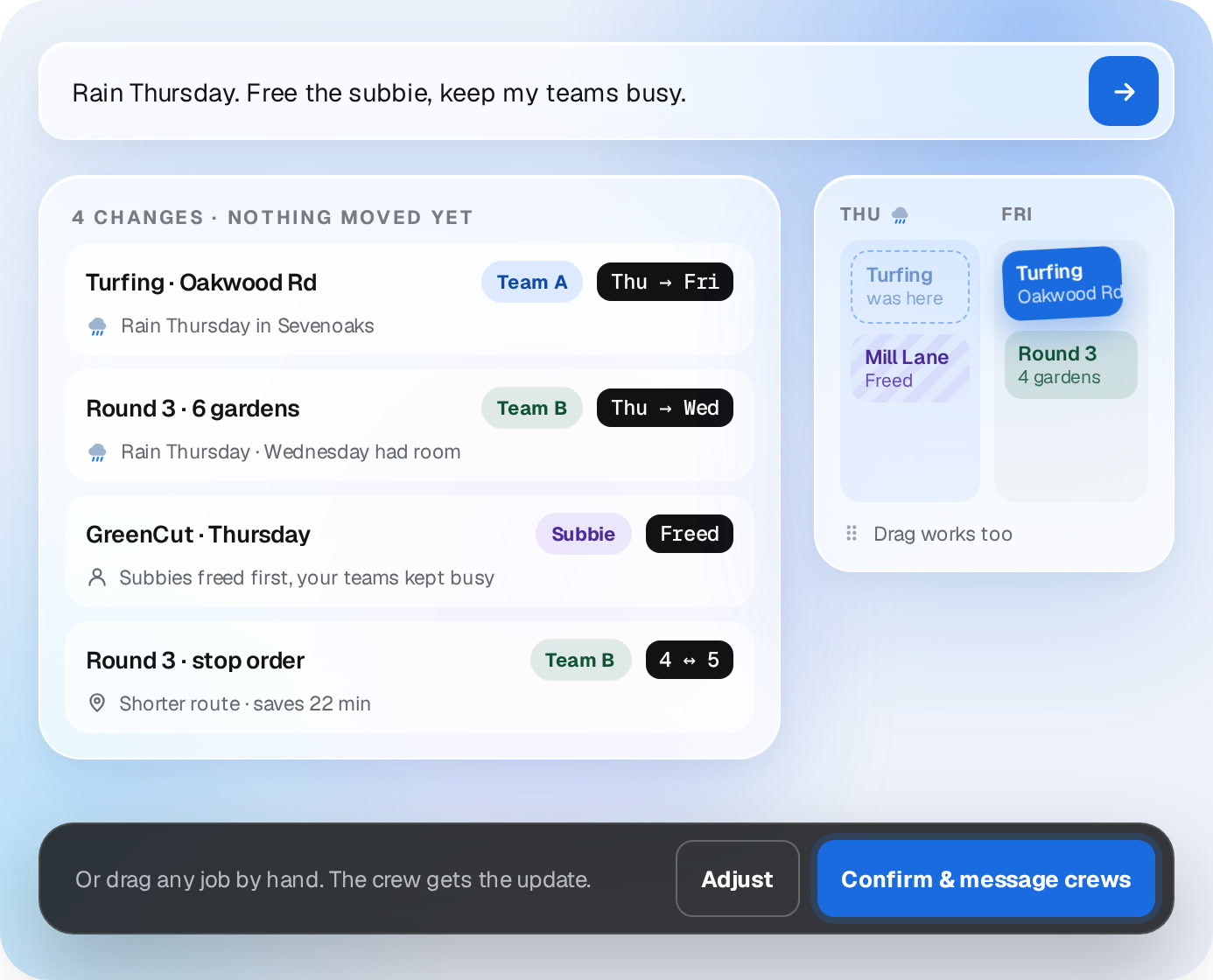
Type it the way you’d say it: rain Thursday, Dan’s off sick, free the subbie. LandscapeBase re-plans the days, shows what moved and why, and waits for your OK.
✓
Every move explained. Each change comes with its reason: rain, a free slot, the route.
✓
Your crews and your subbies, treated differently. Free the subcontractors first and keep your own teams busy.
✓
Drag and drop still works. Move anything by hand and the crew gets the update.
0 CHANGES · NOTHING MOVED YET
Turfing · Oakwood RdTeam AThu → Fri
Rain Thursday in Sevenoaks
Round 3 · 6 gardensTeam BThu → Wed
Rain Thursday · Wednesday had room
GreenCut · ThursdaySubbieFreed
Subbies freed first, your teams kept busy
Round 3 · stop orderTeam B4 ↔ 5
Shorter route · saves 22 min
THUFRI
Turfingwas here
Mill LaneFencing
TurfingOakwood Rd
Round 34 gardens
Drag works too
TurfingOakwood Rd
Or drag any job by hand. The crew gets the update.AdjustConfirm & message crews
Weather
The forecast for every site. Wet days flagged early.
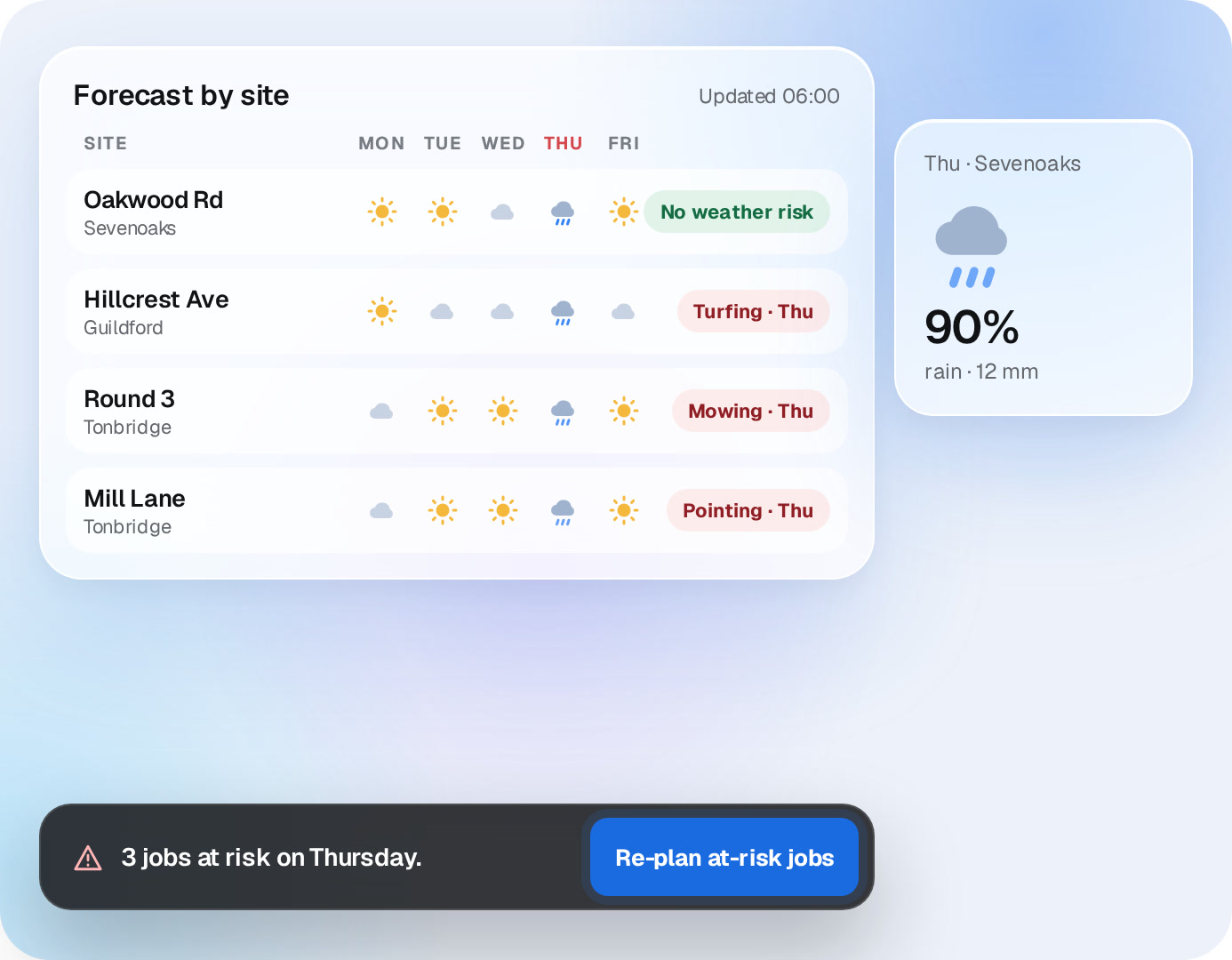
Each job knows where it is and whether rain stops it. When the forecast turns, jobs like turfing, pointing and mowing get flagged, and one line moves them.
✓
By site, not by office. Dry in Sevenoaks doesn’t mean dry in Guildford.
✓
Re-plan the at-risk jobs. One click, or type what you want instead.
Forecast by siteUpdated 06:00
SITEMONTUEWEDTHUFRI
Oakwood Rd
Sevenoaks
No weather risk
Hillcrest Ave
Guildford
Turfing · Thu
Round 3
Tonbridge
Mowing · Thu
Mill Lane
Tonbridge
Pointing · Thu
Thu · Sevenoaks
0%
rain · 12 mm
3 jobs at risk on Thursday.Re-plan at-risk jobs
New work
New work lands unscheduled. Placed in one go.
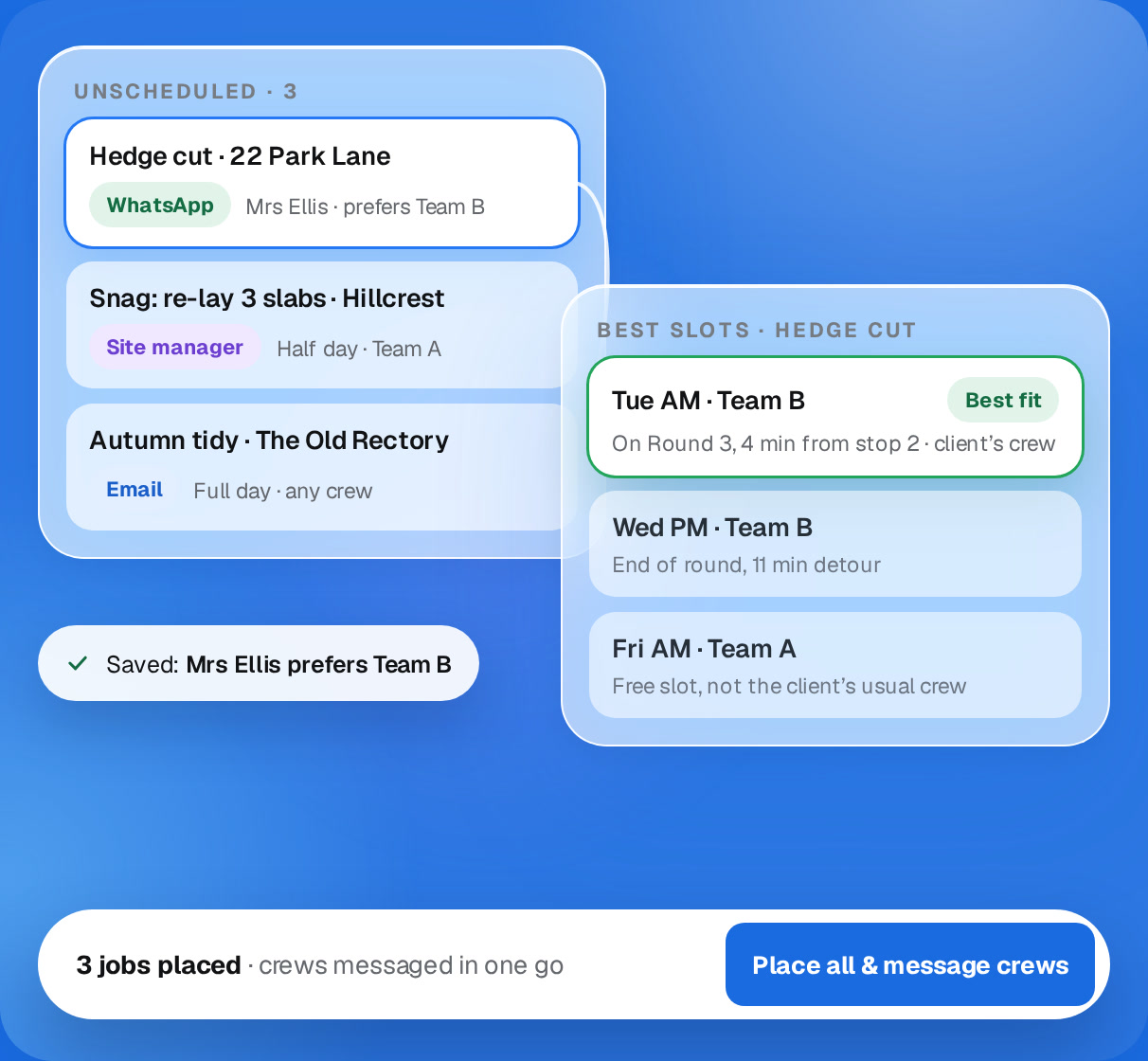
Approve a request from a client, a site manager or an email, and it drops into Unscheduled. Click one for the best slots, or place them all and message the crews at once.
✓
Best fit, not first free. It suggests slots that fit the crew’s round and the client’s preferences.
✓
Client preferences remembered. If a client likes a particular crew, save it once.
✓
Requests from anywhere. WhatsApp, email or a site manager, all in one list.
UNSCHEDULED · 3
Hedge cut · 22 Park Lane
WhatsAppMrs Ellis · prefers Team B
Snag: re-lay 3 slabs · Hillcrest
Site managerHalf day · Team A
Autumn tidy · The Old Rectory
EmailFull day · any crew
BEST SLOTS · HEDGE CUT
Tue AM · Team BBest fit
On Round 3, 4 min from stop 2 · client’s crew
Wed PM · Team B
End of round, 11 min detour
Fri AM · Team A
Free slot, not the client’s usual crew
Saved: Mrs Ellis prefers Team B
Place all & message crews
On the day
Every crew gets their day. On WhatsApp, in route order.
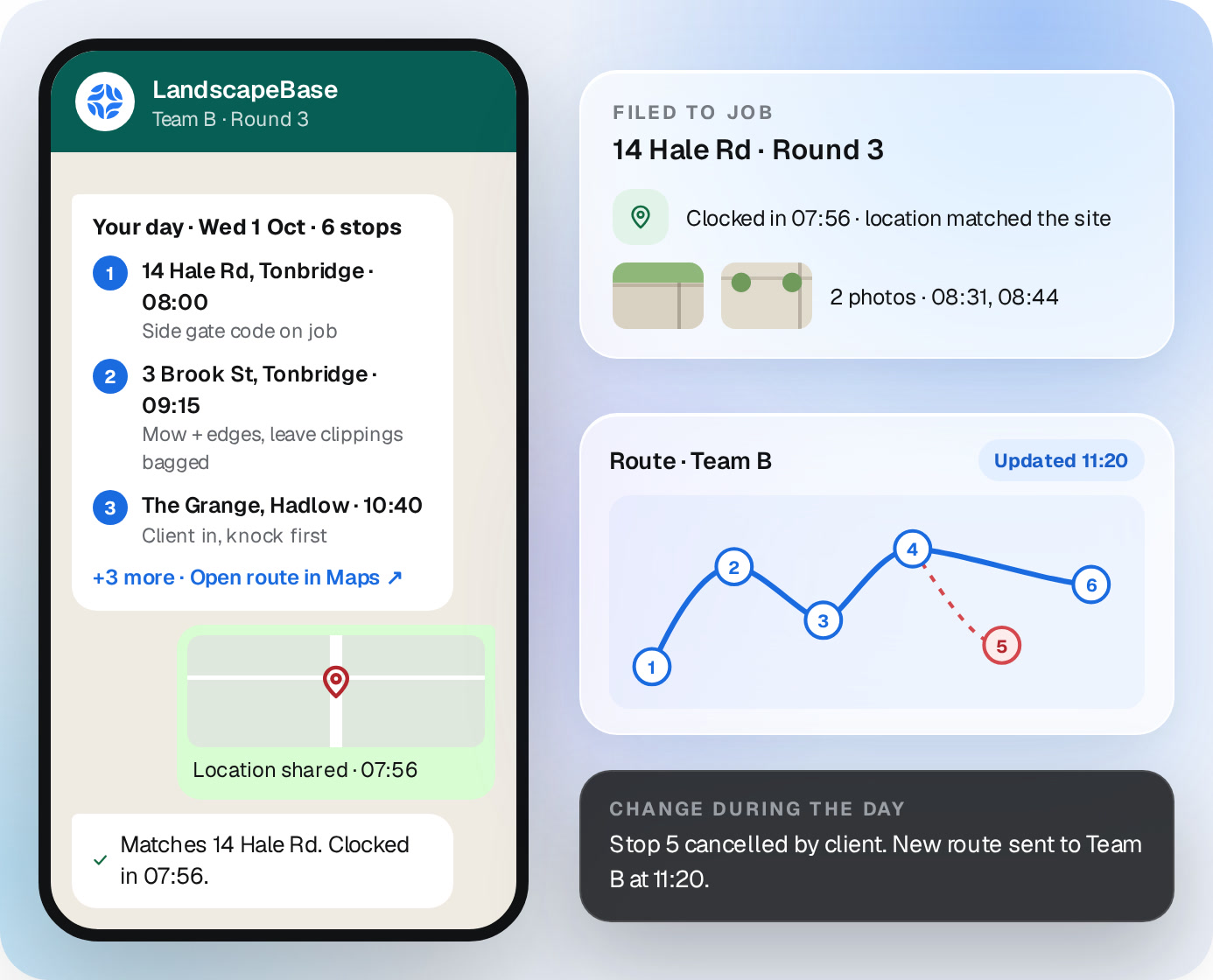
Each morning every team gets its stops in order, with a map link and the notes for each job. If something changes during the day, they get the new route.
✓
Clock in from the job. They share their location on WhatsApp, and it checks it matches the site.
✓
Photos back, filed. Every photo lands on the right job, with the time.
✓
No signal? No problem. Messages and photos send when they’re back in range.
✓
No app, no logins. If they can use WhatsApp, they can use this.
LandscapeBase
Team B · Round 3
Your day · Wed 1 Oct · 6 stops
1
14 Hale Rd, Tonbridge · 08:00
Side gate code on job
2
3 Brook St, Tonbridge · 09:15
Mow + edges, leave clippings bagged
3
The Grange, Hadlow · 10:40
Client in, knock first
+3 more · Open route in Maps ↗
Location shared · 07:56
Matches 14 Hale Rd. Clocked in 07:56.
FILED TO JOB
14 Hale Rd · Round 3
Clocked in 07:56 · location matched the site
2 photos · 08:31, 08:44
Route · Team BUpdated 11:20
CHANGE DURING THE DAY
Stop 5 cancelled by client. New route sent to Team B at 11:20.
★★★★★
“The team doesn’t learn another system. They type what they need in LandscapeBase or message its WhatsApp number, and the garden updates itself.”
RWRobert W.Artisans and Landscapers
★★★★★
“Photos, receipts and changes go through WhatsApp. LandscapeBase updates the garden without making the team learn another app.”
Simon T.KGD
Straight answers
Questions about Smart Scheduling.
Does it work for maintenance rounds?
Yes. Several gardens a day per crew, in route order, with each stop on their WhatsApp.
What happens when it rains?
The forecast is checked for every site. Weather-sensitive jobs get flagged, and you re-plan them in one line. Nothing moves until you confirm.
Do my crews need an app?
No. They get their day on WhatsApp and reply there. Clock-in and photos work the same way.
What if there’s no signal on site?
Messages and photos send when the phone is back in range, and get filed then.
Can I still move things by hand?
Yes. Drag and drop, or type it. Sick day, van off the road: change it and the crew gets the update.
Can our subcontractors be on it?
Yes. Subbies sit in the schedule like any crew and get their jobs on WhatsApp.
A demo around your business
Send us next week’s jobs. We’ll plan them on the call.
20 minutes, your crews, your sites. No generic tour.

 Smart Scheduling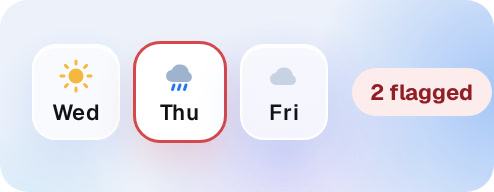

 Simon T.KGD