Your crews stay on WhatsApp. The garden updates itself.
LandscapeBase has its own WhatsApp number. Your crews text it like a colleague, or you add it to the job’s group. It files every message, photo and voice note to the right garden, answers from the job, and drafts replies for you to send.
Text it like a colleague. It answers from the job.
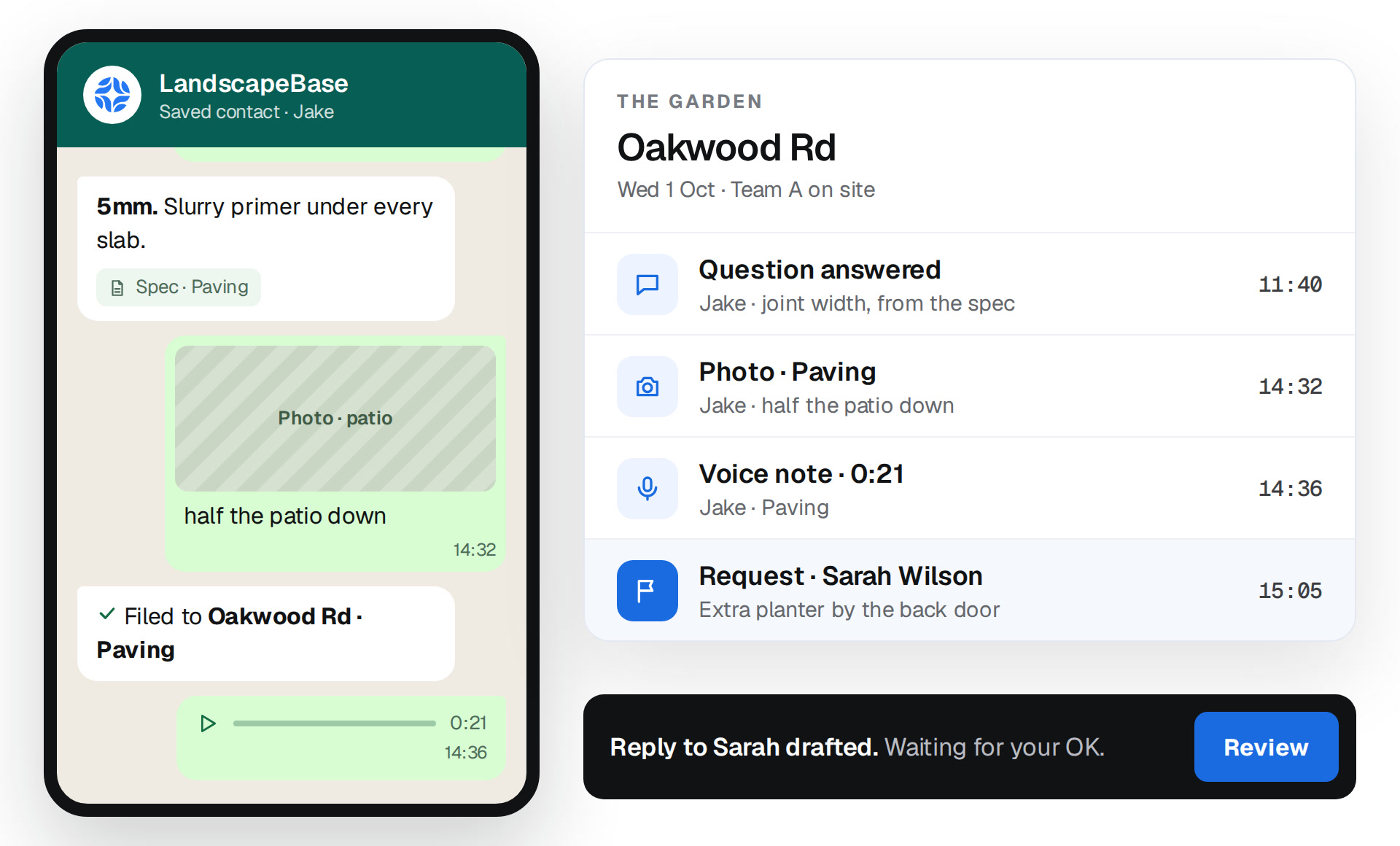
Your lads save LandscapeBase as a contact and message it like anyone else on the team. Ask for the joint width, the delivery time or the gate code, and the answer comes back in seconds, from the garden’s own record.
✓
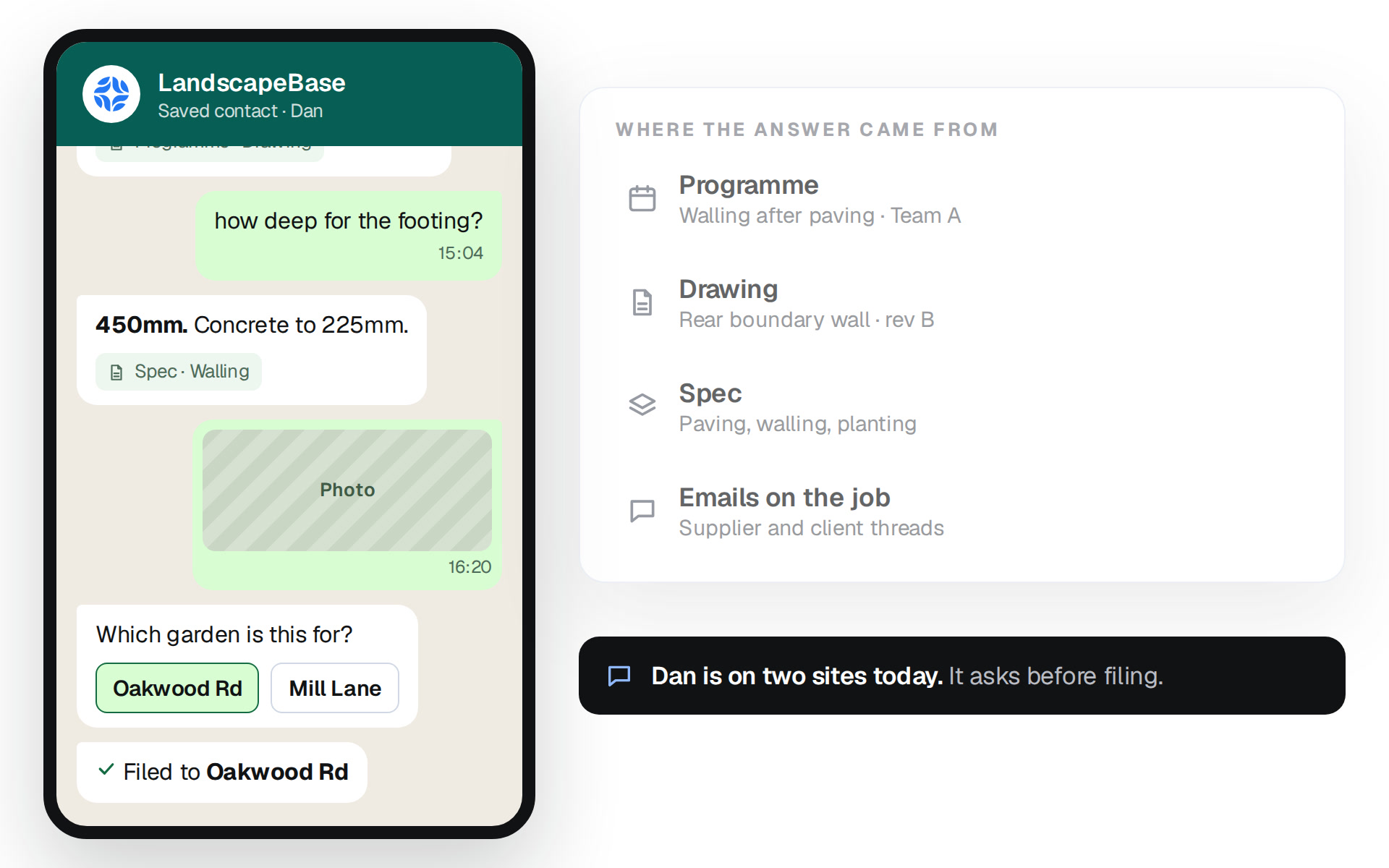
Answers in seconds. From the programme, the spec, the drawing and the emails on the job.
✓
Tells them what’s next. When a stage is done, the crew or the subbie gets the next one.
✓
Asks when it isn’t sure. Two sites on the go? It checks which garden before filing.
✓
Text, photos or voice notes. However they’d send it, it lands on the job.
LandscapeBase
Saved contact · Dan
patio’s done. what’s next?
Dan · 15:02
Next: walling, rear boundary. Blocks are on site. Drawing attached.Oakwood-Rd-rear-wall.pdfProgramme · Drawing
how deep for the footing?
15:04
450mm. Concrete to 225mm.Spec · Walling
Photo
16:20
Which garden is this for?
Oakwood RdMill Lane
Filed to Oakwood Rd
WHERE THE ANSWER CAME FROM
Programme
Walling after paving · Team A
Used
Drawing
Rear boundary wall · rev B
Used
Spec
Paving, walling, planting
Used
Emails on the job
Supplier and client threads
Used
Dan is on two sites today.It asks before filing.
Groups
Add it to the group. Nobody changes how they work.
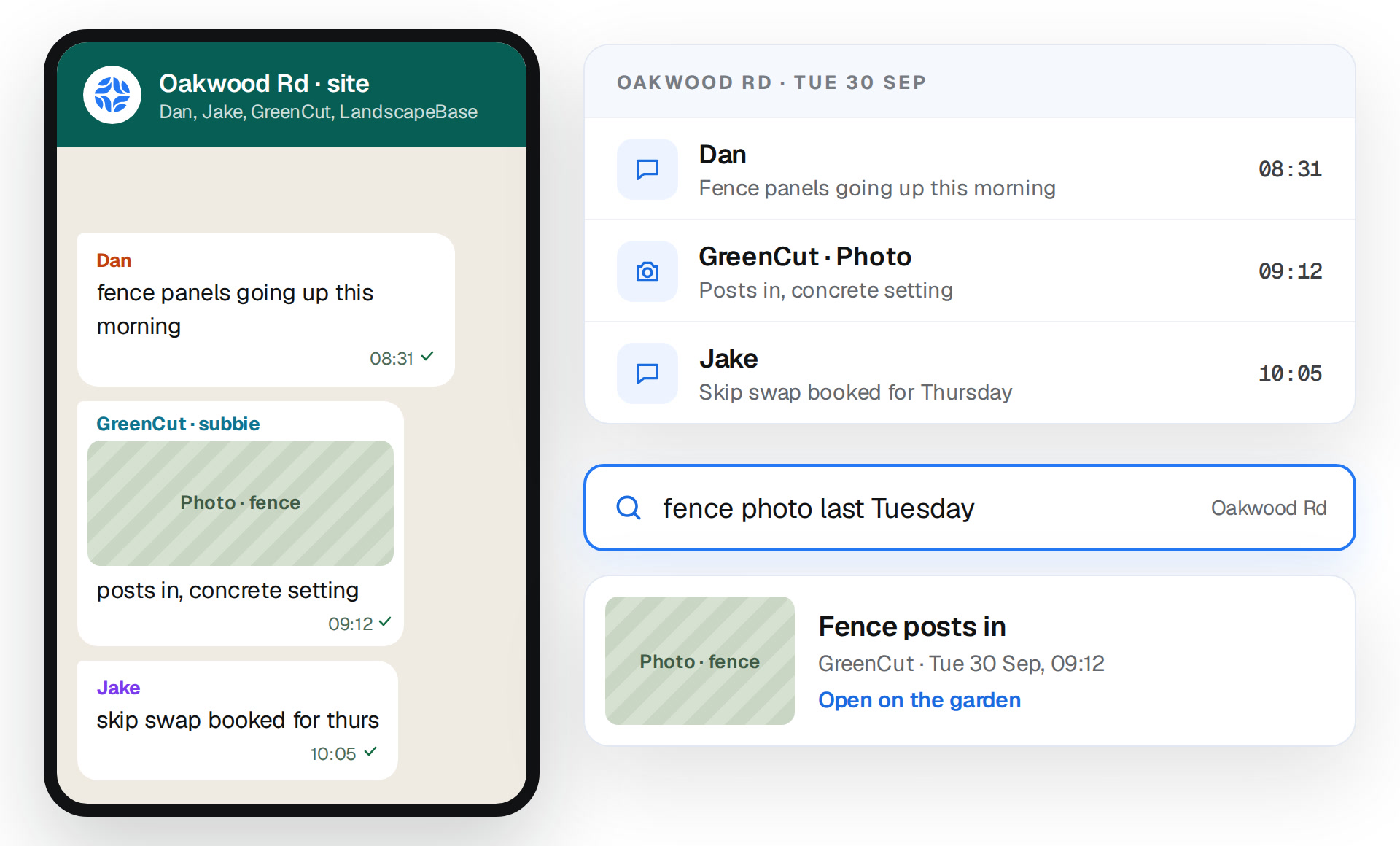
Put LandscapeBase in the job’s WhatsApp group with your crew and subbies. It reads everything in there and files it to the garden as it happens.
✓
Filed as it happens. Every message and photo on the right garden, in order, by date.
✓
Search the garden, not the chat. Find last Tuesday’s fence photo without scrolling a group.
✓
Nothing to tag. Same group, same people, same messages.
Oakwood Rd · site
Dan, Jake, GreenCut, LandscapeBase
Dan
fence panels going up this morning
08:31
GreenCut · subbie
Photo · fence
posts in, concrete setting
09:12
Jake
skip swap booked for thurs
10:05
OAKWOOD RD · TUE 30 SEP
Dan
Fence panels going up this morning
08:31
GreenCut · Photo
Posts in, concrete setting
09:12
Jake
Skip swap booked for Thursday
10:05
Oakwood Rd
Photo · fence
Fence posts in
GreenCut · Tue 30 Sep, 09:12
Open on the garden
Requests & replies
Requests land on the job. Replies wait for your OK.
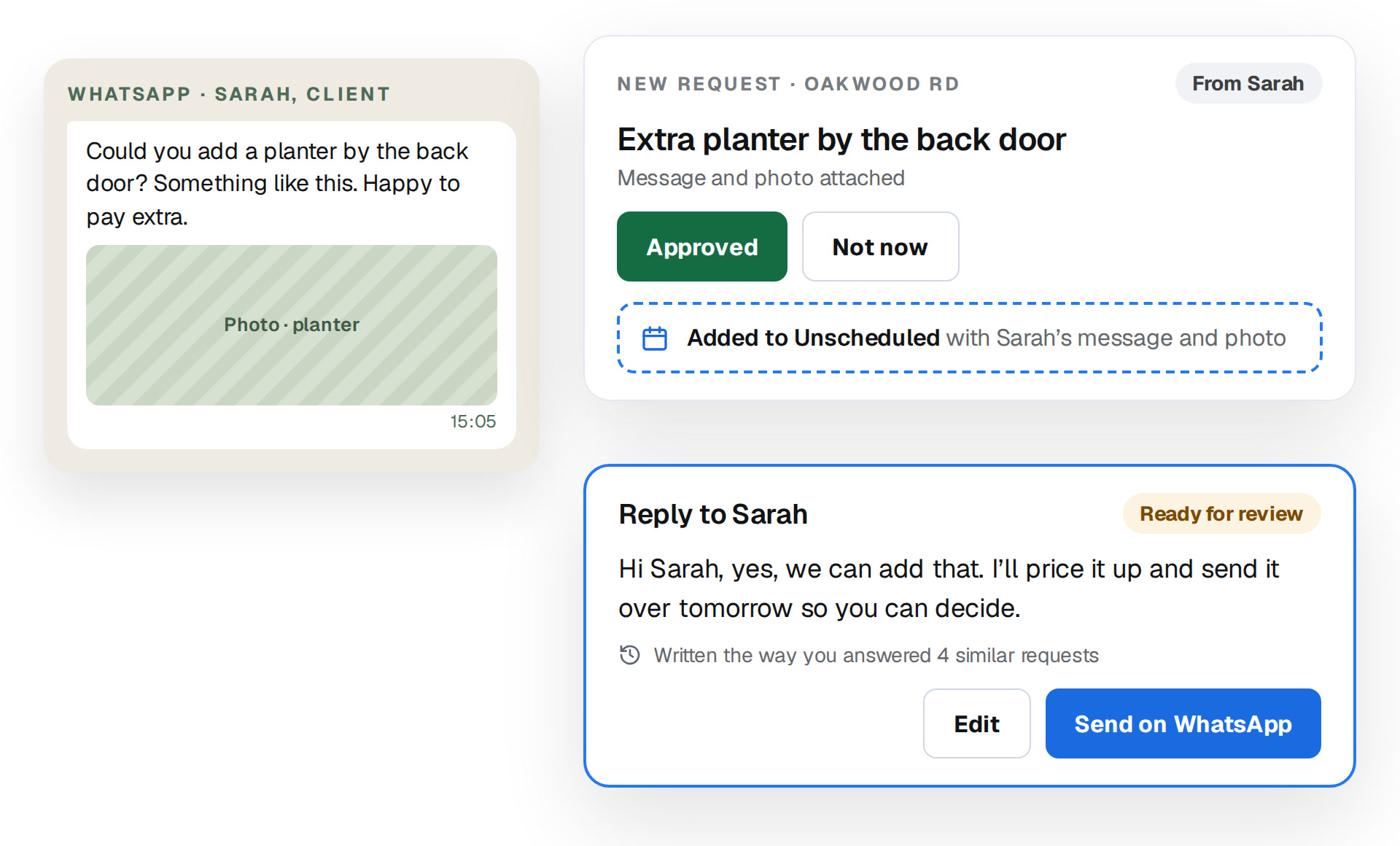
When a client or site manager asks for something on WhatsApp, it becomes a request on the right garden. If the message needs an answer, you get a draft written the way you’d reply. Nothing goes out until you press send.
✓
Straight into the schedule. Approve it and it drops into Unscheduled, with their message and photos attached.
✓
Drafted the way you’d answer. Based on how you’ve handled the same thing before. At setup we load your rules and history, so it doesn’t start from zero.
WHATSAPP · SARAH, CLIENT
Could you add a planter by the back door? Something like this. Happy to pay extra.
Photo · planter
15:05
NEW REQUEST · OAKWOOD RDFrom Sarah
Extra planter by the back door
Message and photo attached
ApproveNot now
Added to Unscheduledwith Sarah’s message and photo
Reply to SarahReady for review
Written the way you answered 4 similar requests
EditSend on WhatsApp
Clock-in
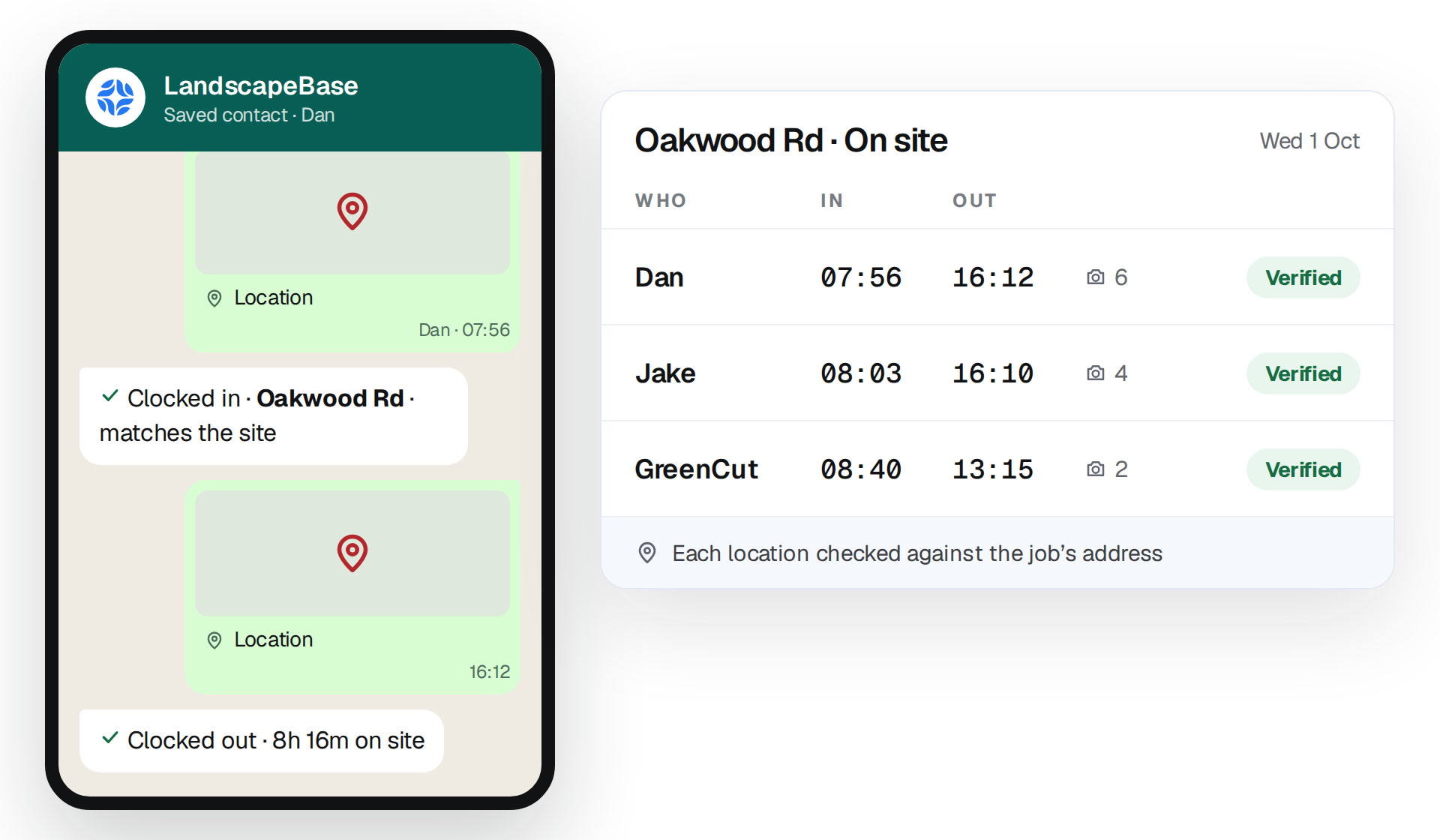
Clock in with a location. Checked against the site.
No clock-in app. The crew shares their location on WhatsApp when they arrive and when they finish. LandscapeBase checks it against the job and marks it verified.
✓
Arrival and finish, verified. In when they get there, out when they finish, with the photos.
✓
On the garden’s record. Who was on site and when, next to the work they sent in.
LandscapeBase
Saved contact · Dan
Location
Dan · 07:56
Clocked in · Oakwood Rd · matches the site
Location
16:12
Clocked out · 8h 16m on site
Oakwood Rd · On siteWed 1 Oct
WHOINOUT
Dan07:56—0Verified
Jake08:03—0Verified
GreenCut08:40—0Verified
Each location checked against the job’s address
★★★★★
“I forwarded messages between clients, suppliers and the site team every day. Now they stay together and only decisions that require me reach me.”
Stuart B.Landscaping&Garden
★★★★★
“The team doesn’t learn another system. They type what they need in LandscapeBase or message its WhatsApp number, and the garden updates itself.”
RWRobert W.Artisans and LandscapersWeekly admin
30 hrs → 2 hrs
Mark R.Kent Landscapes
Straight answers
Questions about the WhatsApp integration.
Do my crews need to download anything?
No. They save LandscapeBase’s number and use the WhatsApp they already have. No logins, no training.
How does it know which garden a message is for?
It reads the message and the chat it came from. If it isn’t sure, it asks before filing anything.
Does it work in our WhatsApp groups?
Yes. Add LandscapeBase to the job’s group and it files everything in there. Nobody has to change how they message.
Will it message my clients without me?
No. Your crew gets answers from the job straight away, but anything to a client is a draft for you. Nothing goes out until you press send.
Can subcontractors use it?
Yes. They text it or sit in the group like anyone else, get told what’s next and can ask for the spec or the drawing.
What if there’s no signal on site?
Messages, photos and locations send when the phone’s back in range, and get filed then.
A demo around your business
Text it from your phone. Watch it land on the garden.
20 minutes, your phone, a real garden. No generic tour.



 Stuart B.Landscaping&Garden
 Mark R.Kent Landscapes