Photos, receipts, voice notes and updates from your crews land on the right job and plot, with the date and time. No folders, no forwarding, no retyping.
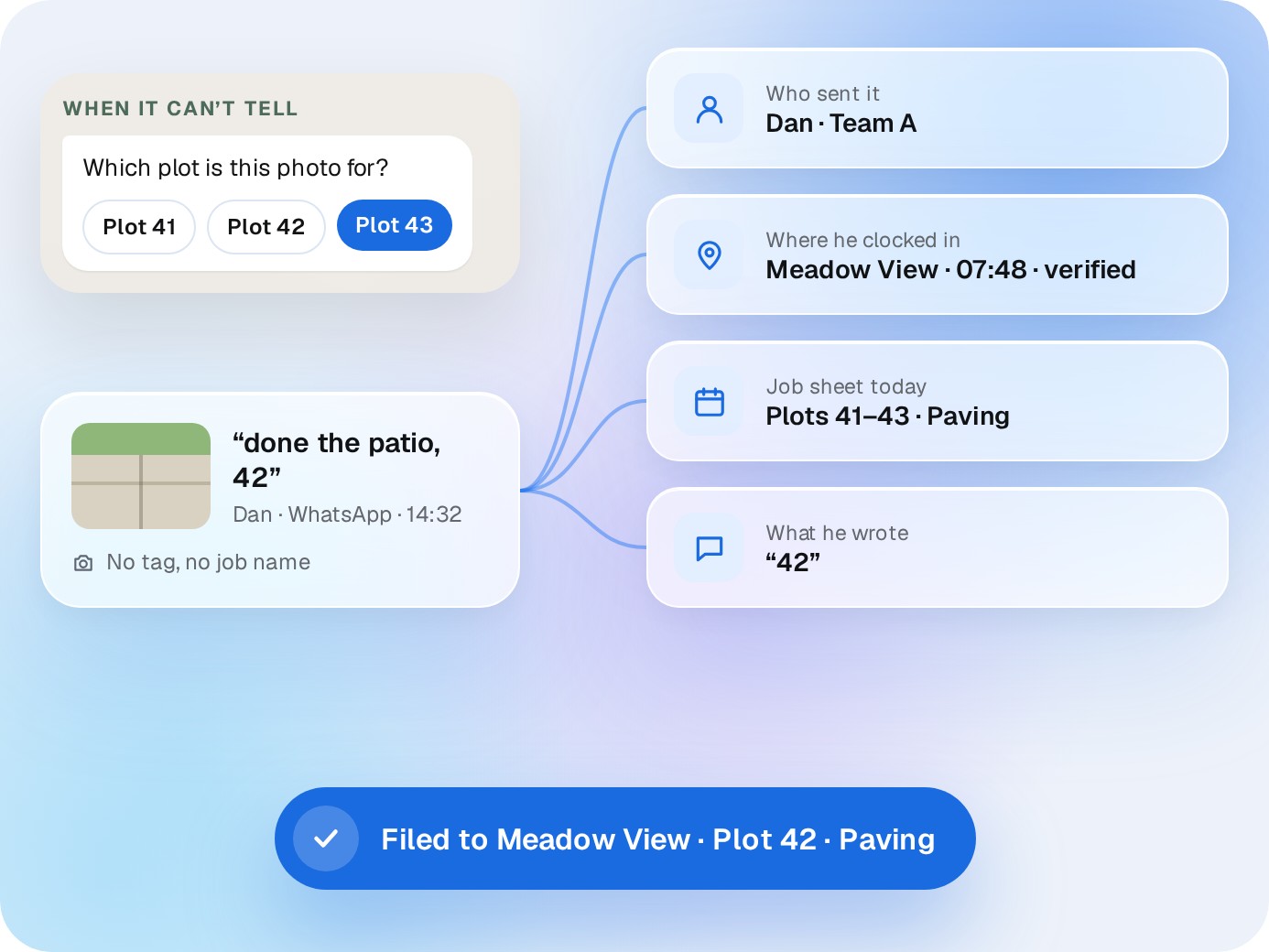
Every photo, voice note and message is matched to the job, plot and stage from who sent it, where they clocked in, what’s on their job sheet and what they wrote. If it can’t tell, it asks the sender before filing.
✓
Plots, not just projects. Housebuilder sites file down to the plot.
✓
No signal, no problem. Everything files when they’re back in range.
✓
Locations, verified. When a crew shares their location on WhatsApp, it's checked against the site and filed to the job with the time.
WHEN IT CAN’T TELL
Which plot is this photo for?
Plot 41Plot 42Plot 43
“done the patio, 42”
Dan · WhatsApp · 14:32
No tag, no job name
Who sent it
Dan · Team A
Where he clocked in
Meadow View · 07:48 · verified
Job sheet today
Plots 41–43 · Paving
What he wrote
“42”
Filed to Meadow View · Plot 42 · Paving
Receipts
Snap the receipt. It lands on the costing.
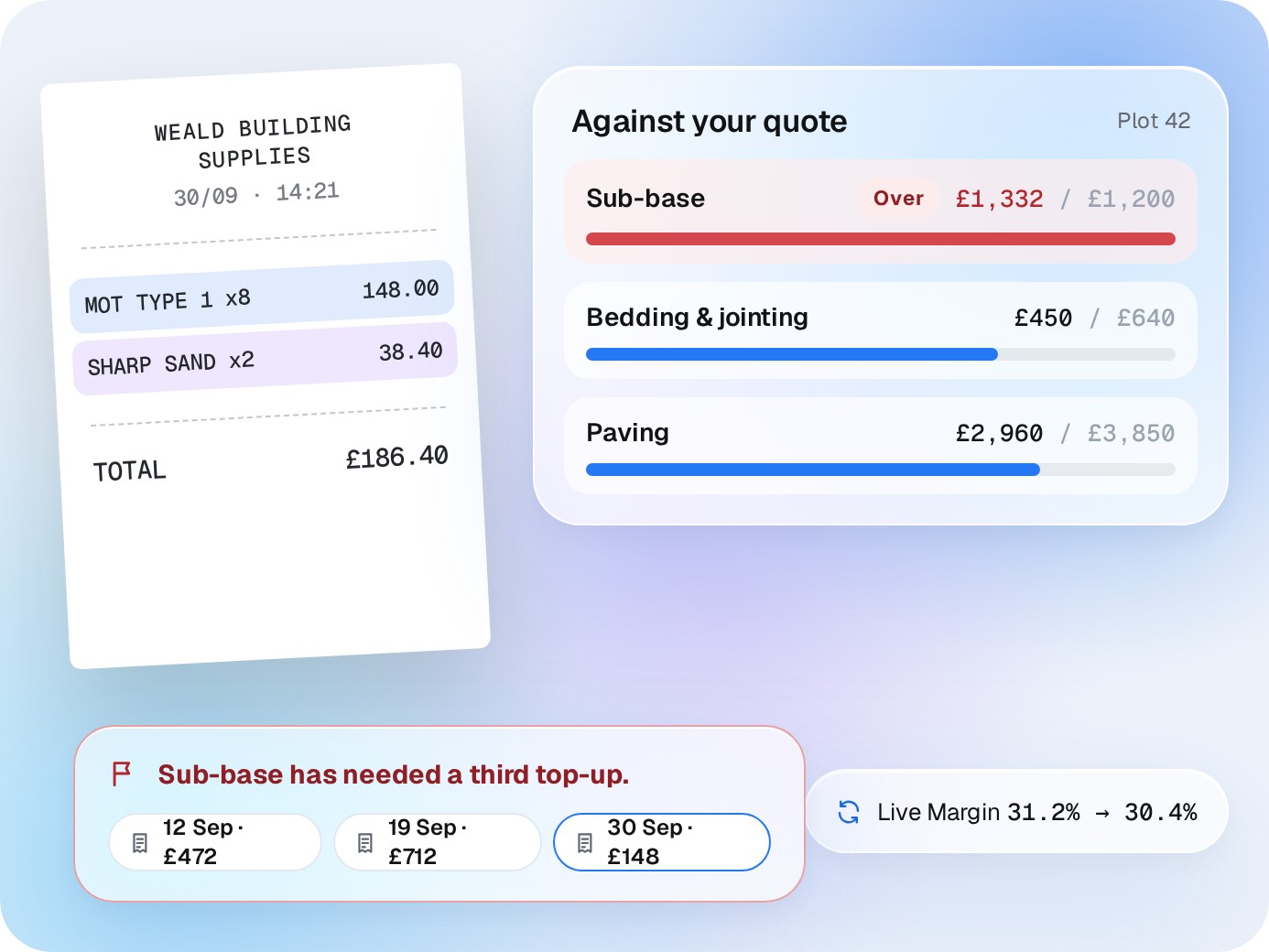
A photo of a receipt is read line by line, matched to the job and put against the right section of your quote. The job’s costs move with it.
✓
Sorted against your quote. Sub-base, paving, skips: the sections you priced, not one “materials” bucket.
✓
Flags the third top-up. When a section keeps needing more, you hear about it, with the receipts behind it.
✓
Feeds Live Margin. Every receipt updates the margin on the job.
WEALD BUILDING SUPPLIES
30/09 · 14:21
MOT TYPE 1 x8148.00
SHARP SAND x238.40
TOTAL£186.40
Against your quotePlot 42
Sub-baseOver£1,332 / £1,200
Bedding & jointing£450 / £640
Paving£2,960 / £3,850
+£148
Sub-base has needed a third top-up.
12 Sep · £47219 Sep · £71230 Sep · £148
Live Margin 31.2% → 30.4%
Timeline
One timeline per job. The whole story, in order.
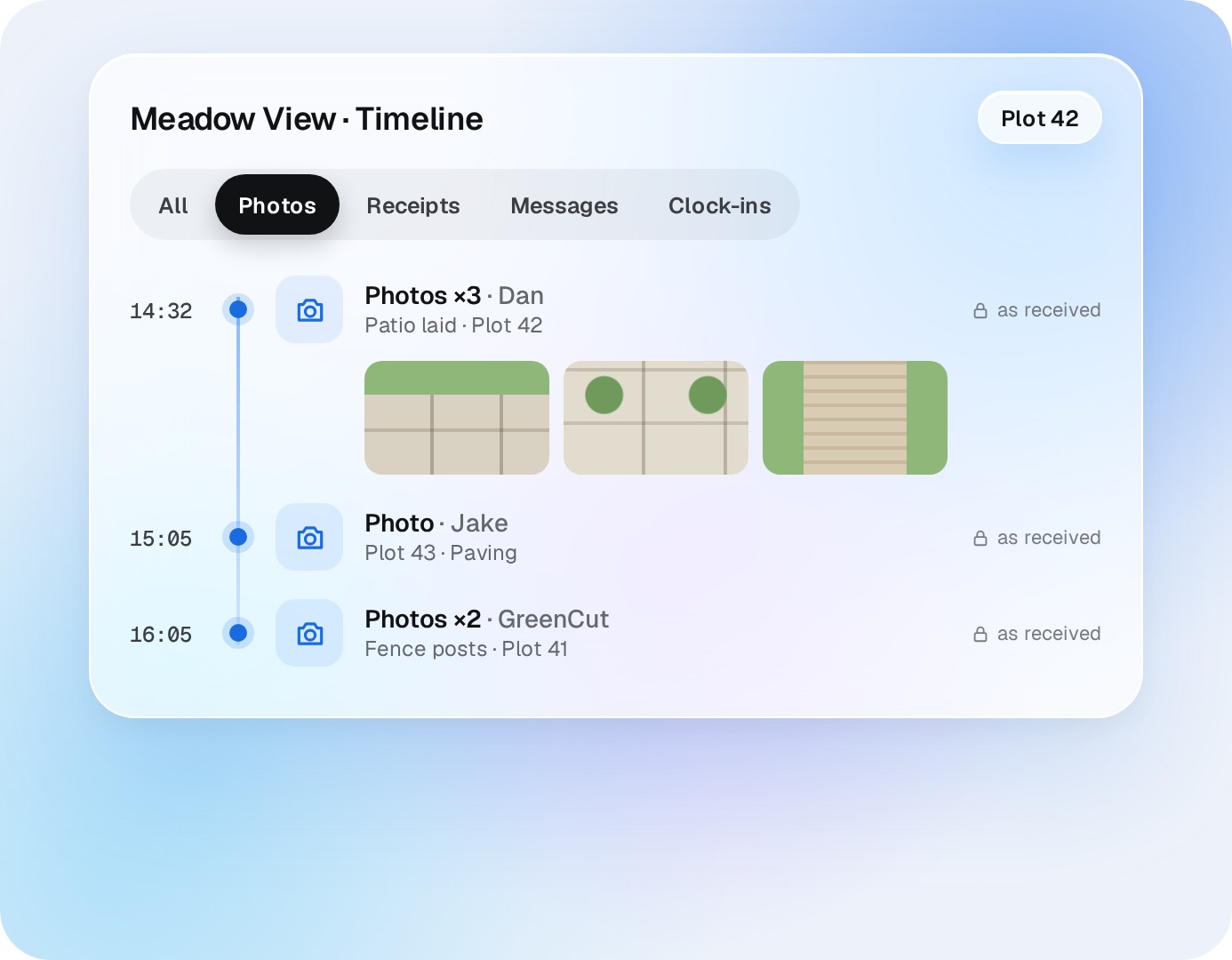
Photos, receipts, messages and clock-ins for the job, dated and in order. Filter by type, plot or person.
✓
Nothing edited after it lands. Every item keeps who sent it and when.
✓
Ready for cost-plus. Show the client what was bought, when and why.
Meadow View · TimelinePlot 42
AllPhotosReceiptsMessagesClock-ins
14:32
Photos ×3 · Dan
Patio laid · Plot 42
as received
15:05
Photo · Jake
Plot 43 · Paving
as received
16:05
Photos ×2 · GreenCut
Fence posts · Plot 41
as received
Evidence
When a job gets questioned, the photos are already there.
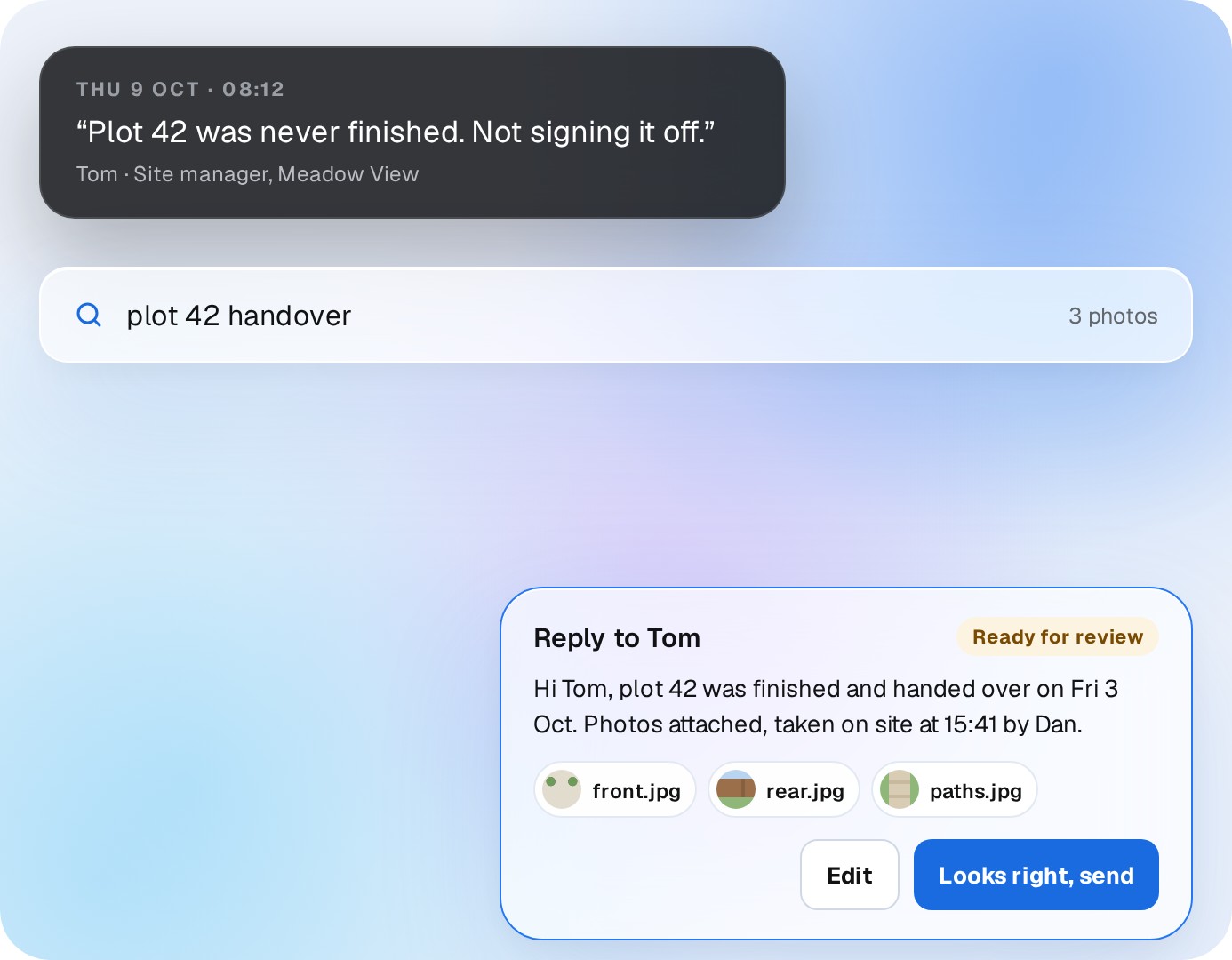
A site manager says plot 42 was never finished. Search the plot and the handover photos come up with the date, the time and who took them. The reply is drafted with them attached, and waits for your OK.
✓
Search by plot, street or date.
✓
Take it with you. Export every job’s photos, messages and documents whenever you want.
THU 9 OCT · 08:12
“Plot 42 was never finished. Not signing it off.”
Tom · Site manager, Meadow View
plot 42 handover3 photos
Plot 42 · Front
Fri 3 Oct · 15:41 · Dan
Plot 42 · Rear
Fri 3 Oct · 15:43 · Dan
Plot 42 · Paths
Fri 3 Oct · 15:44 · Dan
Reply to TomReady for review
Hi Tom, plot 42 was finished and handed over on Fri 3 Oct. Photos attached, taken on site at 15:41 by Dan.
front.jpgrear.jpgpaths.jpg
★★★★★
“Photos, receipts and changes go through WhatsApp. LandscapeBase updates the garden without making the team learn another app.”
Simon T.KGD
★★★★★
“Before we signed, they showed us how to cancel and export every job, document and conversation. Staying is our choice, not a contract trap.”
ACAdam C.Cedar & Stone Landscapes
Straight answers
Questions about Auto-logging.
Do my crews need to tag or name anything?
No. They send it the way they do now. LandscapeBase works out the job and plot, and asks them when it can’t.
How does it know which job it’s for?
From who sent it, where they clocked in, what’s on their job sheet that day and what they wrote.
What about receipts?
Photograph it and send it. It’s read, filed to the job and put against the right section of the quote.
What if there’s no signal on site?
Photos and messages send when the phone is back in range, and get filed then.
Does it work for subcontractors?
Yes. Subbies text the same number and their photos file to the job too.
Can we export it all?
Yes. Every job’s photos, messages and documents, whenever you want, including if you leave.
A demo around your business
Send a photo from site. Watch it land on the job.
20 minutes, your phone, a real job. No generic tour.



 Auto-logging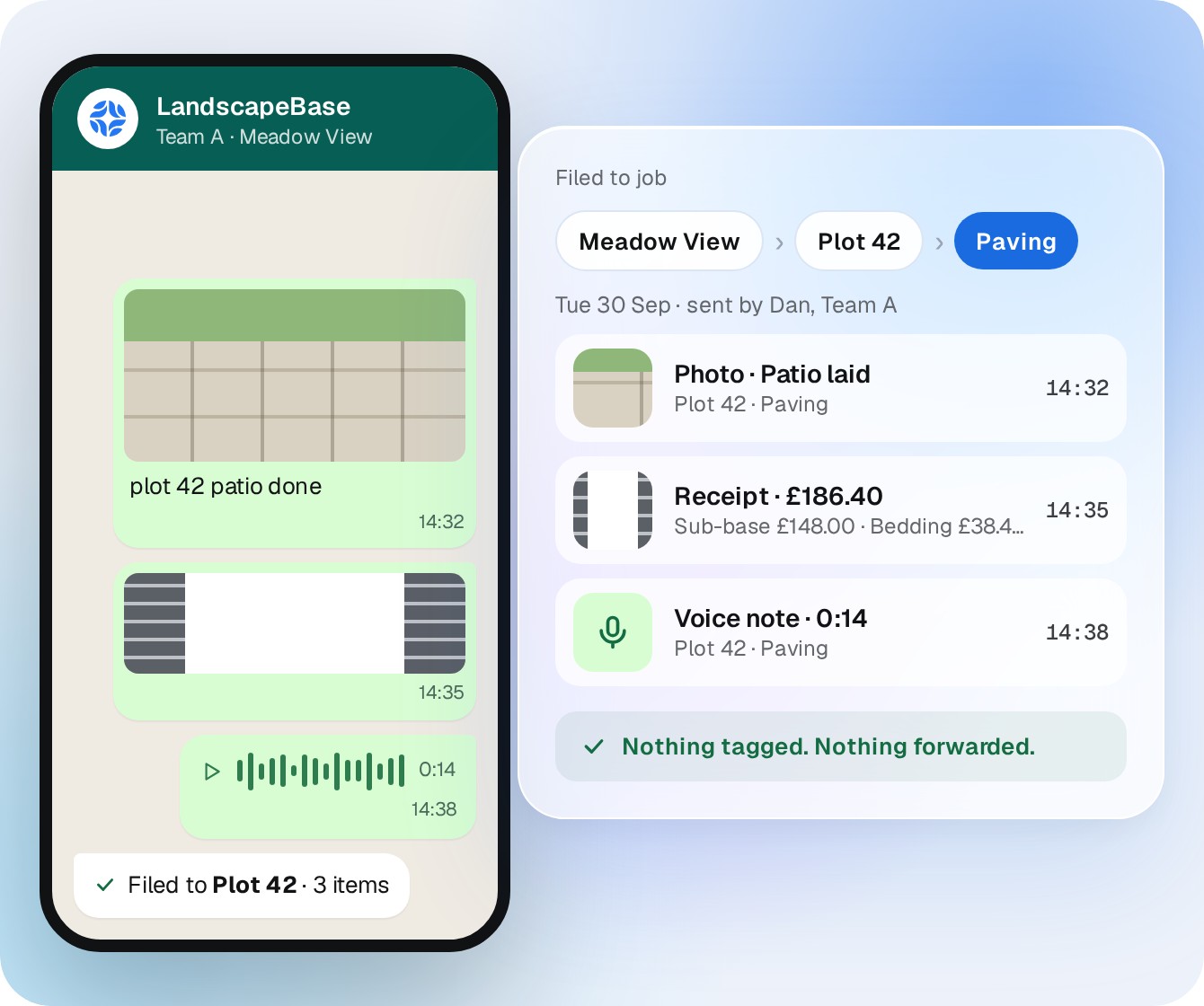



 Simon T.KGD