See what the garden’s making. While it’s still on site.
Your quote becomes the budget. Receipts and costs land against it as the job runs, and the margin moves with them. You find out on day 6, while you can still do something about it.
Excavation & sub-base over by £1,200.“Soft ground, dug to 200.”
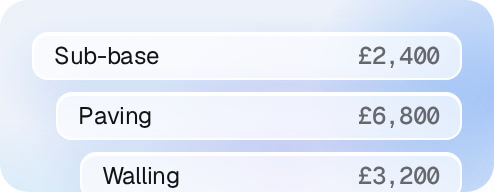
Sub-base£0
Paving£0
Walling£0
01
Quote becomes the budget.
Split into the sections you priced.
+£0Sub-base
02
Costs land as they happen.
From a photo on WhatsApp or an upload.
Over £0“Soft ground, dug to 200”
03
Flags what’s over.
With the receipt and the reason behind it.
Xero
04
Connects to Xero.
Invoices go in, paid status comes back.
Budget
Budget by section. Actuals against it.
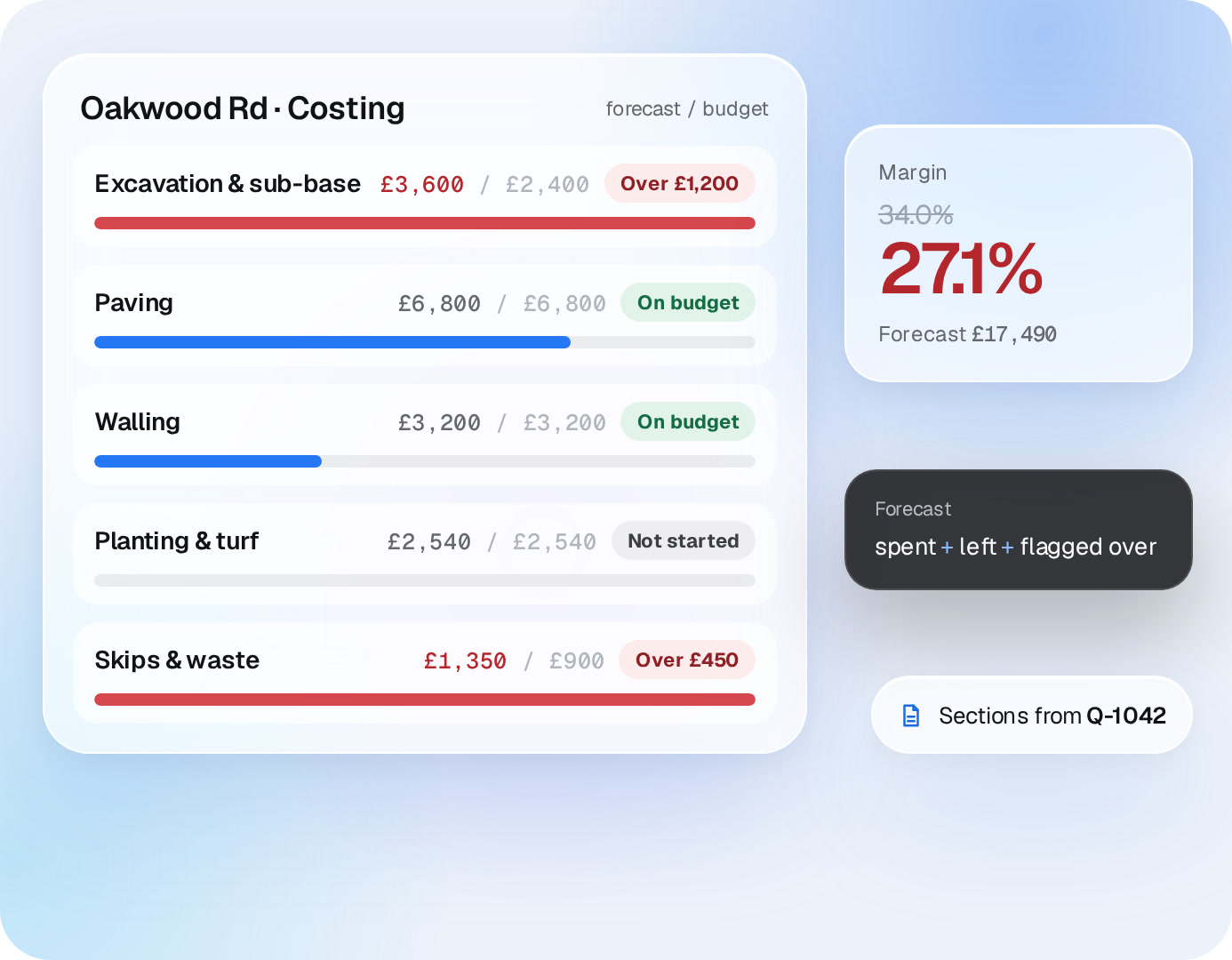
The costing splits into the same sections you priced. Every receipt lands in its section, so you see which part of the job is eating the margin, and where it’s heading.
✓
Forecast, not just spend. Spent so far, plus what’s left, plus anything flagged over.
✓
The same numbers as the quote. No re-keying the budget into another system.
Oakwood Rd · Costingforecast / budget
Excavation & sub-base£0/ £2,400
Paving£0/ £6,800
Walling£0/ £3,200
Planting & turf£0/ £2,540
Skips & waste£0/ £900
Margin
34.0%
34.0%
Forecast £15,840
Forecast
spent + left + flagged over
Sections from Q-1042
Flags
Over budget? You hear about it on day 6.
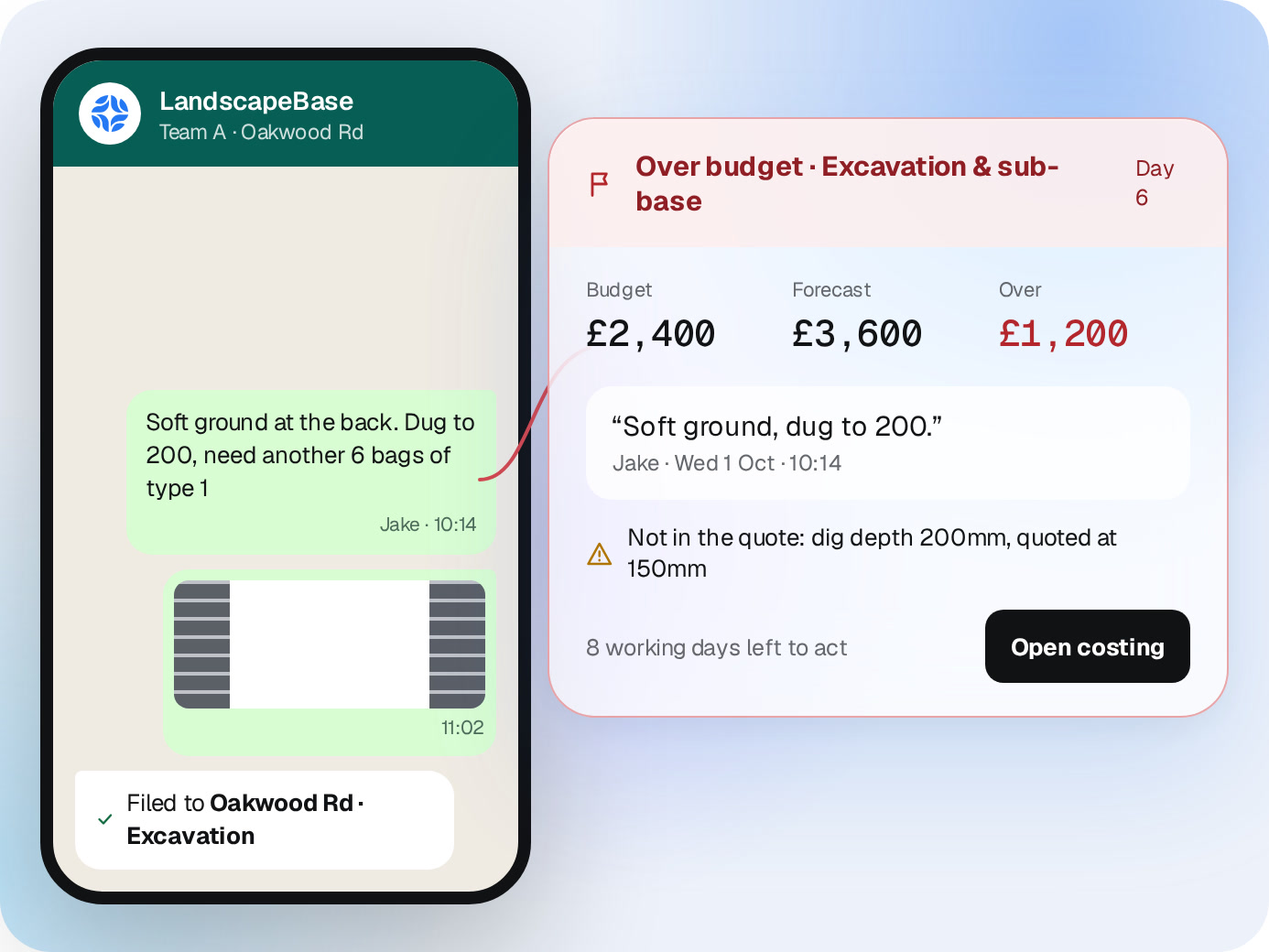
When a section runs over, or something turns up that wasn’t in the quote, it’s flagged on the job with the receipt and the crew’s message behind it.
✓
The reason, not just the number. “Soft ground, dug to 200” sits next to the extra sub-base.
✓
Still time to act. Talk to the client or change the spec before the money’s gone.
LandscapeBase
Team A · Oakwood Rd
Soft ground at the back. Dug to 200, need another 6 bags of type 1
Jake · 10:14
11:02
Filed to Oakwood Rd · Excavation
Over budget · Excavation & sub-baseDay 6
Budget
£2,400
Forecast
£2,400
Over
£0
“Soft ground, dug to 200.”
Jake · Wed 1 Oct · 10:14
Not in the quote: dig depth 200mm, quoted at 150mm
8 working days left to actOpen costing
Invoices
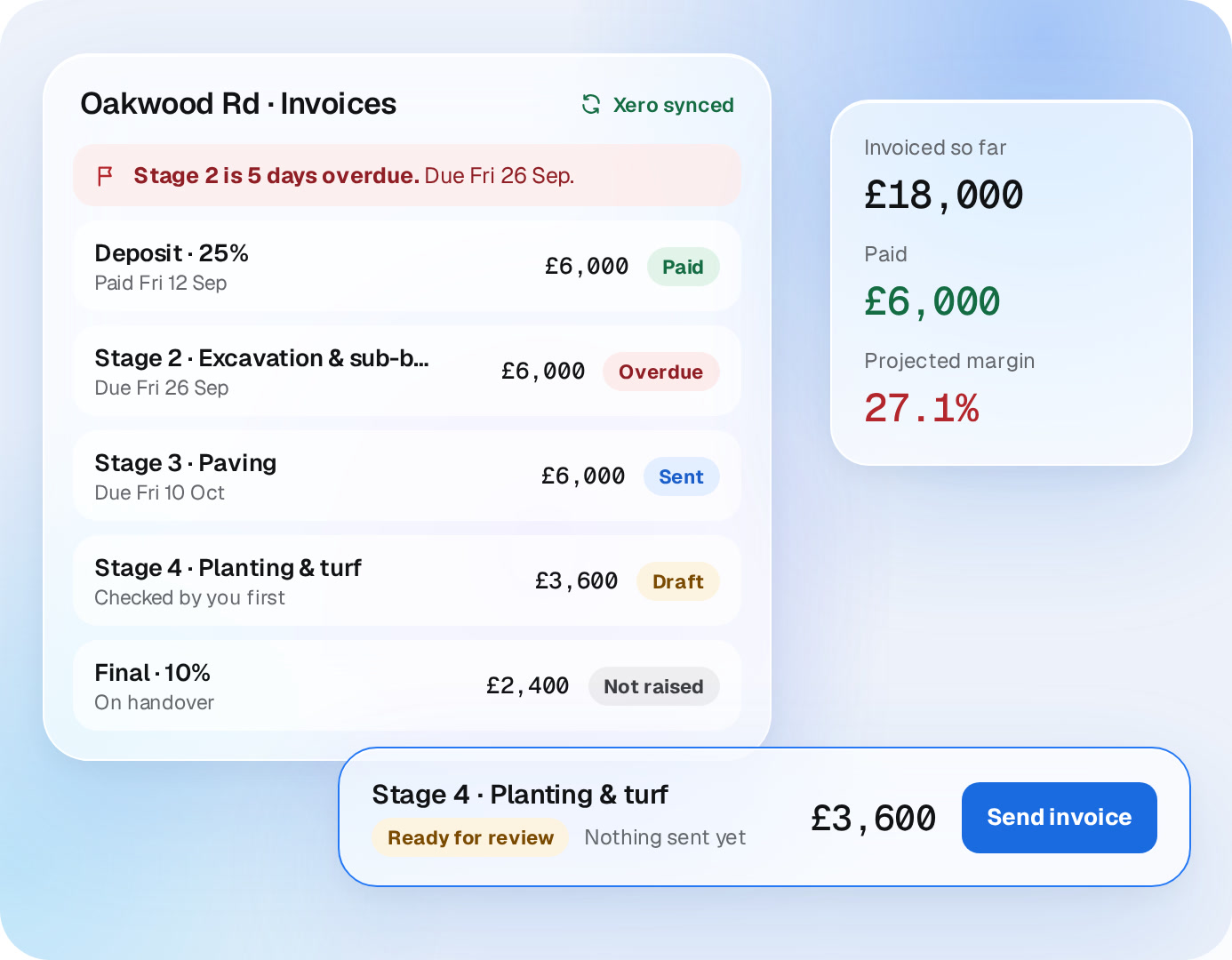
Invoice from the job. See what’s been paid.
Raise stage invoices straight from the job. Send them from LandscapeBase and see each one as draft, sent, paid or overdue, next to the margin.
✓
Synced with Xero. Invoices are created in Xero, and paid status comes back on its own.
✓
Overdue, flagged. Anything past its due date shows on the job.
✓
Nothing goes out without you. You check every invoice before it’s sent.
Oakwood Rd · InvoicesXero
Stage 2 is 5 days overdue. Due Fri 26 Sep.
Deposit · 25%
Paid Fri 12 Sep
£6,000Sent
Stage 2 · Excavation & sub-base
Due Fri 26 Sep
£6,000Sent
Stage 3 · Paving
Due Fri 10 Oct
£6,000Sent
Stage 4 · Planting & turf
Checked by you first
£3,600Sent
Final · 10%
On handover
£2,400Sent
Invoiced so far
£0
Paid
£0
Projected margin
27.1%
Stage 4 · Planting & turf
Ready for reviewNothing sent yet
£3,600Send invoice
Learning
Every finished garden makes the next quote better.
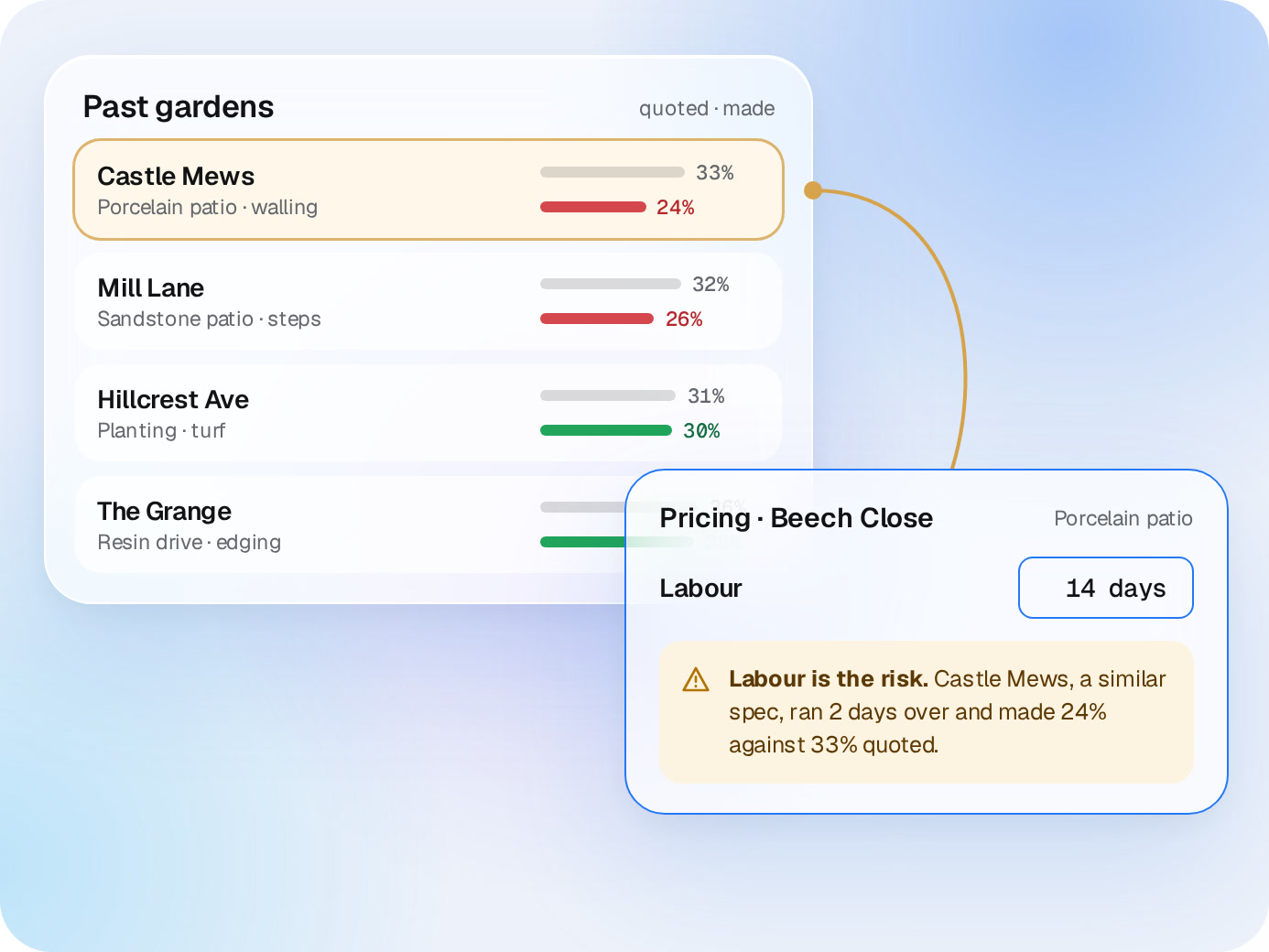
When the job closes, what it really cost goes back into your past gardens. Next time you cost a similar spec, you see what went wrong last time.
✓
What it made, not what you hoped. Quoted against actual, for every job.
✓
Warnings where they matter. “Labour is the risk” shows up while you’re pricing, not after.
Past gardensquoted · made
Castle Mews
Porcelain patio · walling
33%
24%
Mill Lane
Sandstone patio · steps
32%
26%
Hillcrest Ave
Planting · turf
31%
30%
The Grange
Resin drive · edging
36%
35%
Pricing · Beech ClosePorcelain patio
Labour
Labour is the risk. Castle Mews, a similar spec, ran 2 days over and made 24% against 33% quoted.
★★★★★
“We used to discover the margin after the garden was finished. Now we see it moving, understand why, and can still act before the money is gone.”
JWJames W.South Downs Landscapes
★★★★★
“LandscapeBase runs the garden; Xero runs the accounts. Costs, invoices and payments pass through without being entered twice.”
Daniel K.Northfield Garden BuildAverage project margin
17% → 35%
Rob S.Premier Landscaping
Straight answers
Questions about Live Margin.
Where do the costs come from?
Receipts your crews photograph on WhatsApp, receipts you upload, and supplier costs on the job. Each one is matched to a section of the quote.
Do we have to type anything in?
No. Photograph the receipt and send it.
How is the projected margin worked out?
Spent so far, plus what’s left in each section’s budget, plus anything flagged over.
Does it work with Xero?
Yes. The job lives in LandscapeBase, the books stay in Xero.
A demo around your business
Bring a live job. We’ll show you its margin.
20 minutes, one real garden, your receipts. No generic tour.

 Live Margin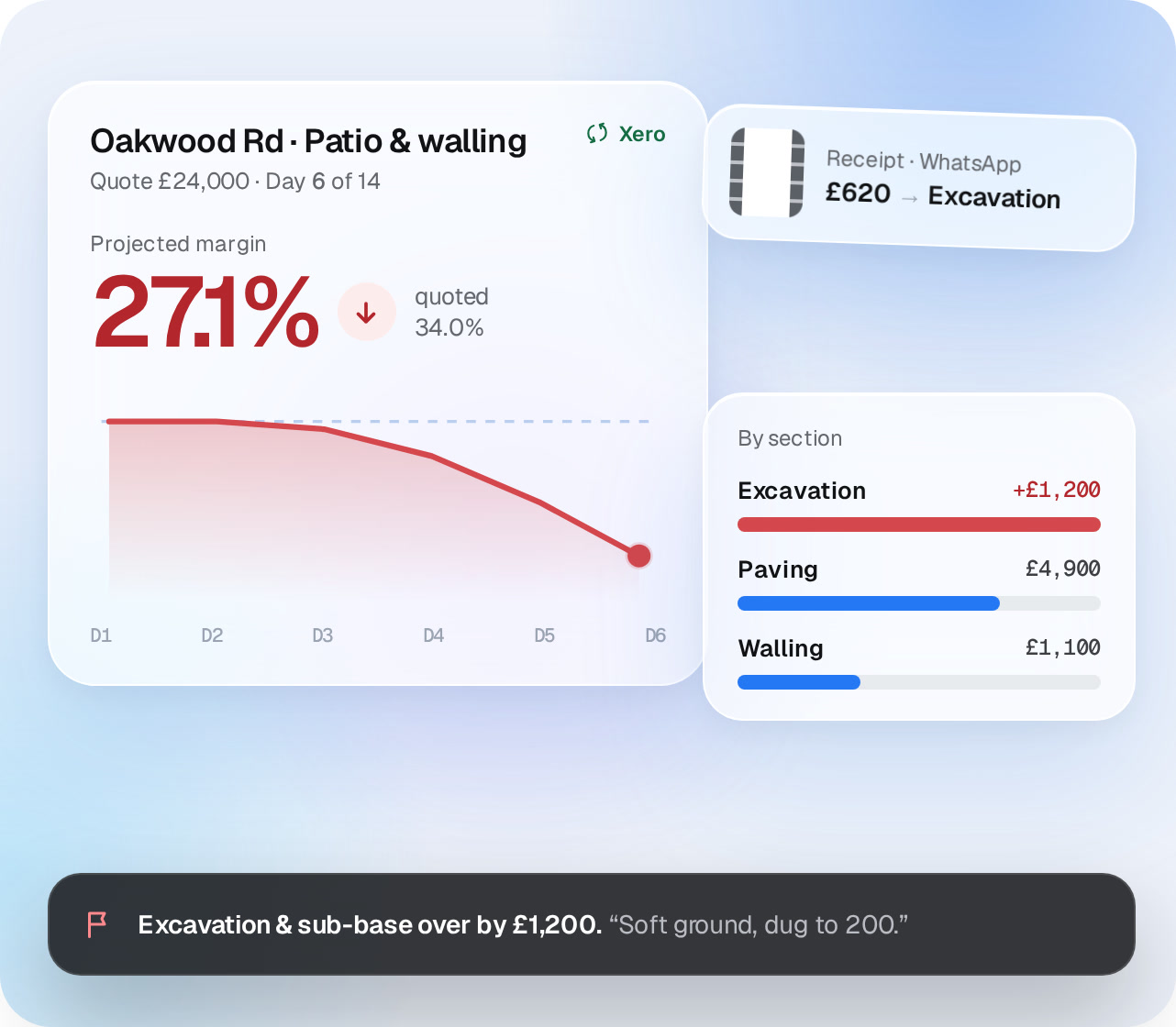



 Daniel K.Northfield Garden Build
 Rob S.Premier Landscaping