Start with your firm’s landscaping quote templates, then tell LandscapeBase what’s different about this job. Ask it to add work, rewrite a section, change an exclusion or present an option separately. It updates the proposal for you to check.
✓ Nothing goes to the client until you approve it.
Your letterheadQ-0431 · v1
Proposal
Mr & Mrs Patel · Rear garden, Beech Close
Porcelain patio & steps£11,480
Lawn, turf & borders£6,720
Drainage · channel drain + soakawayAdded£2,860
Composite decking£3,200
Total (ex VAT)£21,400
Option B · Composite deckingOptional
Priced separately£3,200
Composite decking£3,200
Updated for this job
+Drainage added
↘Decking made optional
✎Exclusions reworded
Waiting for your approval
Nothing goes to the client until you approve it.
Review v2
Ask Alphy
1 · Keep your starting point
The way your firm quotes, ready for the next job.
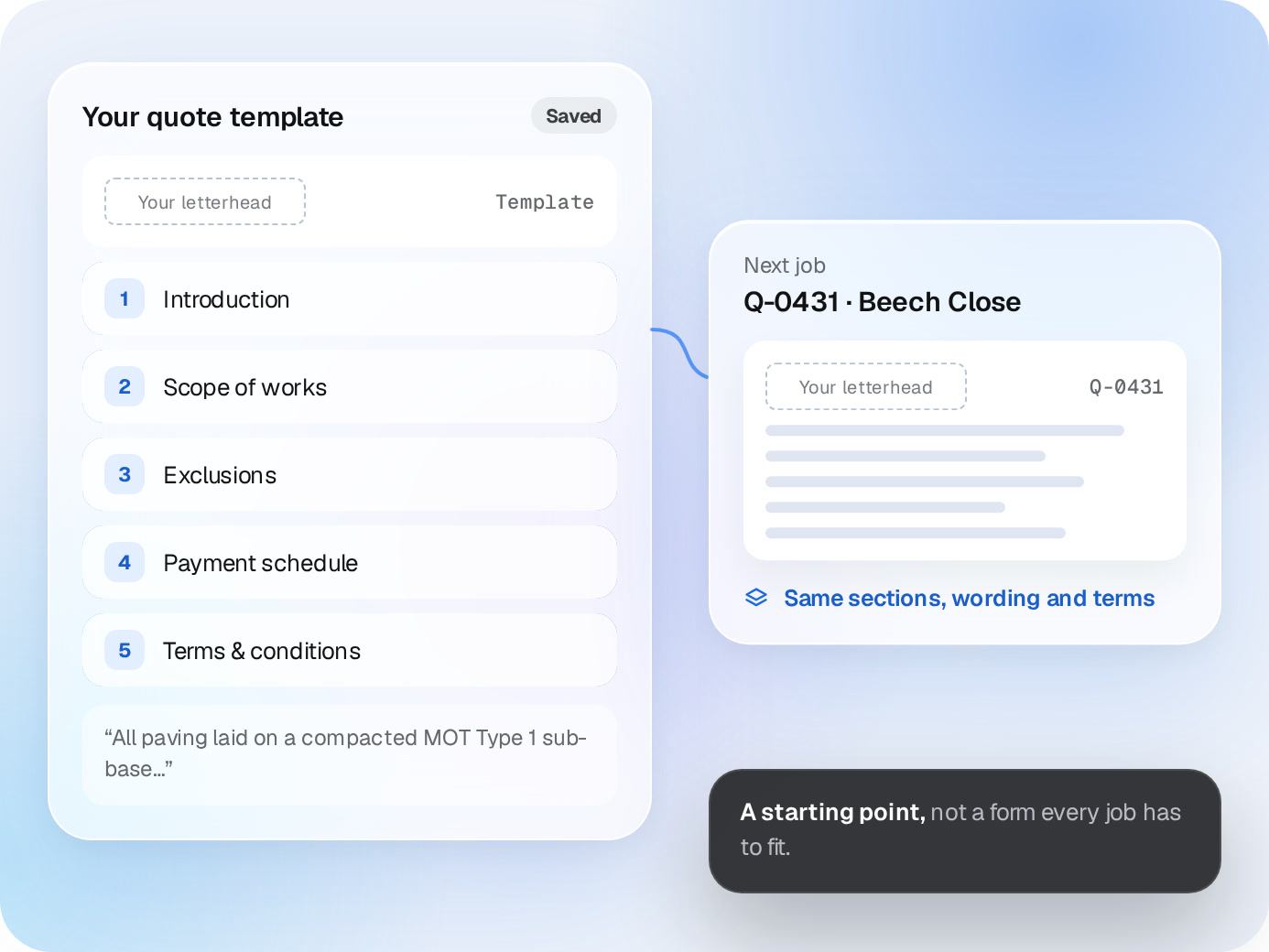
Keep your letterhead, sections, standard wording and terms. LandscapeBase uses them as the starting point, not as a form that every job has to fit.
Your quote templateSaved
Your letterheadTemplate
1Introduction
2Scope of works
3Exclusions
4Payment schedule
5Terms & conditions
Next job
Q-0431 · Beech Close
Your letterheadQ-0431
Same sections, wording and terms
A starting point,not a form every job has to fit.
2 · Ask for the changes
“Add the drainage. Make the decking optional.”
Tell LandscapeBase what to change in plain English. Ask for a different scope, clearer wording, another option or an exclusion specific to the site. Review the updated quote, then ask again if it still isn’t right.
Ask Alphy
Q-0431 · what changedv1 → v2
+
Drainage
Channel drain + soakaway, from the site notes
£2,860
↘
Composite decking
Moved to Option B, priced separately
£3,200
✎
Exclusions
Ask againReview v2
Or ask for
“Make the exclusions clearer”
“Show planting as a separate option”
“Shorter intro, same terms”
3 · Build from the costing
The proposal and the numbers belong to the same job.
LandscapeBase turns the job’s costing into a quote in your format. When the scope changes, check the affected costs and margin before approving the new version.


 Quote templates